
Get it wrong, and you're looking at data loss, extended downtime, or exposed customer records. One hour of downtime now costs more than $300,000 for over 90% of mid-size and large enterprises, according to ITIC's 2024 Hourly Cost of Downtime Survey. For regulated industries, the stakes climb higher still.
This guide breaks down migration types, core strategies, step-by-step process design, common pitfalls, and the tools that make near-zero-downtime migrations achievable.
Key Takeaways
- Migration architecture controls how data moves, transforms, and lands—and sets integrity and downtime outcomes.
- Pick big bang, trickle, or hybrid based on risk tolerance, data volume, and operational criticality.
- Well-run migrations raise accuracy, speed decisions, support compliance, and cut operating costs.
- Treat testing and post-migration monitoring as critical as the cutover itself.
What Is Data Migration Architecture?
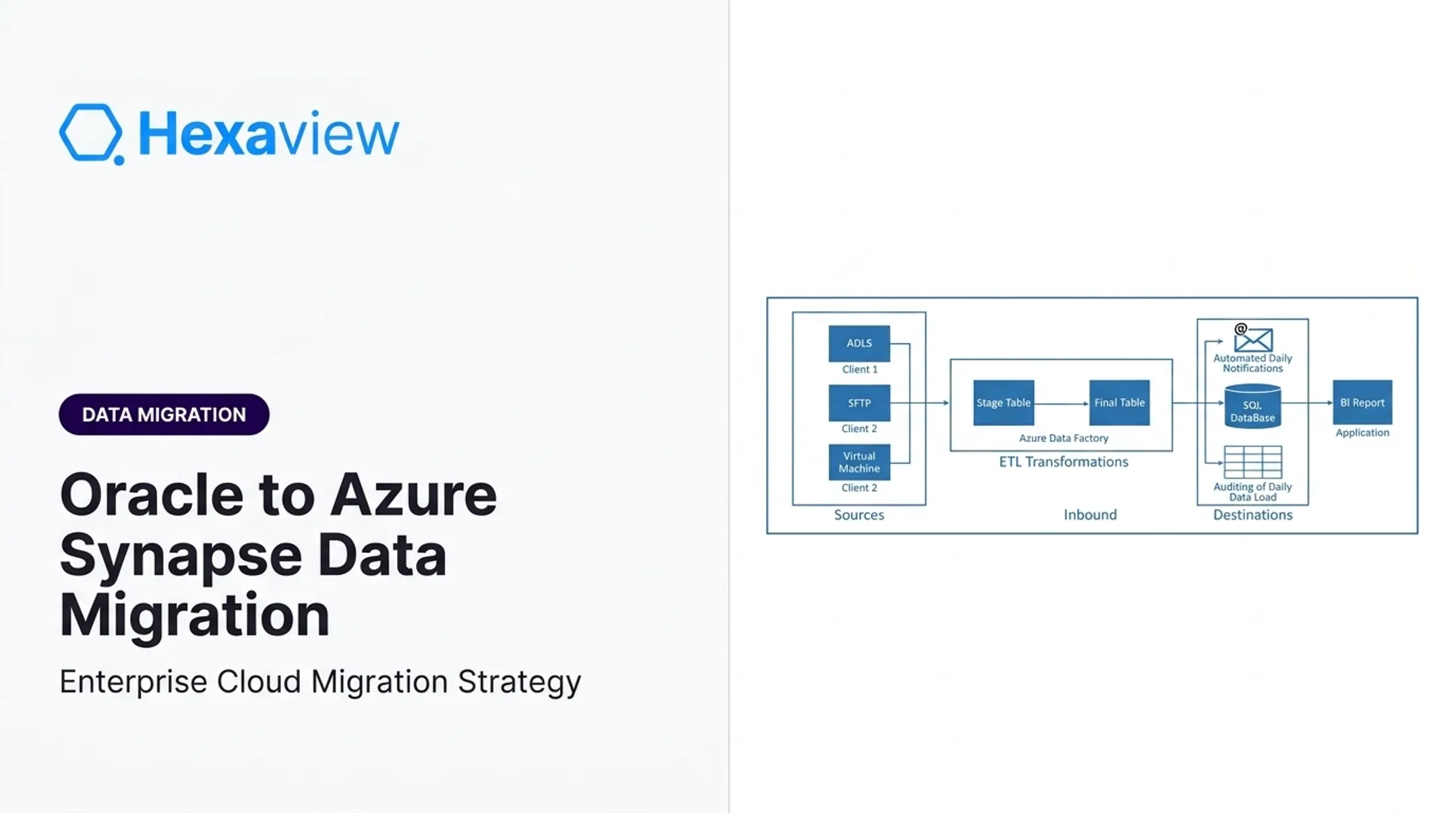
Data migration architecture is the technical blueprint for moving data from source to target systems. It covers extraction, transformation, staging, and loading, plus every checkpoint that keeps data trustworthy along the way.
Core Components
A solid architecture includes:
- Source and target systems as the origin and destination platforms
- ETL/ELT pipelines that move and reshape data
- Staging areas for validation before the final load
- Data mapping rules that translate fields between systems
- Validation checkpoints that catch errors before they spread
Design also has to account for:
- Data volume and network bandwidth
- Referential integrity across related tables
- Rollback mechanisms if a run fails mid-flight
Common Architecture Patterns
| Pattern | Best Fit |
|---|---|
| Point-to-point | Single, isolated database or file move |
| Hub-and-spoke | Multiple migration waves needing shared governance and security controls |
| Cloud-native pipelines | Re-architected apps using managed, elastic services |

Hexaview’s Legacy Modernization practice puts these patterns to work on COBOL, BASIC, and AS/400 estates—using custom connectors, API integrations, and ETL pipelines shaped for the target architecture rather than a straight lift-and-shift.
Types of Data Migration
Architecture choice also depends on what you are moving:
- Storage migration — files or objects between systems, such as on-premises archives to cloud object storage
- Database migration — structured data between engines, often with schema redesign
- Application migration — an app and its data together, common in core banking platform swaps
- Cloud migration — workloads to AWS, Azure, or GCP (wealth managers often move portfolio databases this way)
- Business process migration — the workflows around the data, not only the data itself
Core Data Migration Strategies
Picking a strategy shapes everything downstream, from pipeline design to your rollback plan.
Big Bang Migration
Everything moves at once during a scheduled downtime window. AWS notes this approach is more suitable for environments that can tolerate downtime and requires extensive testing beforehand. It's fast, but errors hit the entire system at once. Good for small, bounded datasets. Risky for anything mission-critical.
Trickle/Phased Migration
Data moves gradually, often with source and target systems running in parallel. AWS documentation confirms phased cutover typically requires less downtime and enables faster rollback, making it standard for business-critical production workloads. This approach needs dual-write setups or Change Data Capture (CDC) pipelines to keep both systems synchronized.
Hybrid/Parallel Migration
Combines bulk loading with ongoing CDC synchronization, then validates and cuts over in controlled waves. This balances speed and risk for complex, multi-system environments. Strategy Comparison:
| Factor | Big Bang | Trickle/Phased | Hybrid |
|---|---|---|---|
| Downtime required | Full cutover window | Minimal | Moderate (per wave) |
| Data volume | Small to medium | Large | Large |
| Business criticality | Low to medium | High | High |
| Rollback complexity | Simple but risky | Gradual, safer | Requires reconciliation |
| Hexaview's cloud migration work for a healthcare client shows how phased migration works in practice. The team used a phased migration plan with rollback rehearsals, moving patient data and applications to Azure while maintaining HIPAA compliance—and delivered zero downtime. |

The Data Migration Process: Step-by-Step
A reliable migration follows a clear sequence. Each phase has an exit point so issues surface before they reach production.
Planning and assessment
Map source and target systems, document dependencies, and score risk. Define success metrics and rollback conditions before design starts.Data cleansing and profiling
Standardize formats, remove duplicates, and resolve inconsistencies. Clean data upstream so pipeline errors do not multiply downstream.Architecture and tool design
Build ETL/ELT pipelines, staging environments, and error-handling protocols. Match patterns (big bang, trickle, or hybrid) to downtime limits and data criticality.Testing
Run unit, integration, and volume tests on representative data in a mock environment. Include reconciliation checks so row counts and business rules match expectations.Execution and cutover
Migrate with active monitoring, defined checkpoints, and rollback readiness. Freeze windows and communication plans keep cutover controlled.Validation and optimization
Verify accuracy, tune performance, and retire legacy systems only after sign-off. Post-go-live monitoring catches drift early.

How Hexaview applies this process
Hexaview Technologies runs Salesforce and multi-system migrations on the same backbone, with named phases and a go-live gate:
- Data analysis and mapping
- Data modeling and cleansing
- Controlled migration into the target
- BA/QA review of the final model against business objectives before go-live
In a multi-custodian integration involving LPL, Fidelity, and ORION, the team completed manual, automation, and performance test plans before any production push. That discipline mirrors steps 4–6 above: test thoroughly, cut over with checkpoints, then validate.
Common Challenges and How to Mitigate Them
Even well-planned migrations hit predictable obstacles. Address them early and the rest of the architecture holds.
- Data loss or corruption from format mismatches remains the most common failure point. Use validation checksums, reconciliation counts, and tested backups before cutover.
- Downtime and business disruption hit hardest in always-on industries. Off-peak scheduling and phased rollouts limit the impact. Hexaview favors phased modernization and parallel deployments to avoid disruption.
- Security risks during transit are especially acute in fintech and healthcare. HHS recorded 663 large breaches affecting roughly 242.9 million people in 2024, with hacking and IT incidents accounting for 81% of them. Encryption in transit, role-based access controls, and isolated pipelines address this directly.
- Cost overruns usually trace back to weak upfront planning. Detailed budgeting, dependency discovery, and automation cut mid-project surprises.
How Hexaview Approaches Data Migration for Regulated Industries
Hexaview brings over a decade of experience in fintech, wealth management, and healthcare to migration architecture design. That background shapes how compliance gets baked in, not bolted on afterward.
The HexaShield framework includes pre-configured compliance templates for HIPAA, SOX, GDPR, KYC/AML, and SOC 2, paired with role-based access controls, encryption in transit, and full audit trails. Hexaview reports a 100% compliance sign-off rate across engagements, and the company holds SOC 2 Type 2 certification along with AWS Select Tier Service Partner status.

Real outcomes back this up:
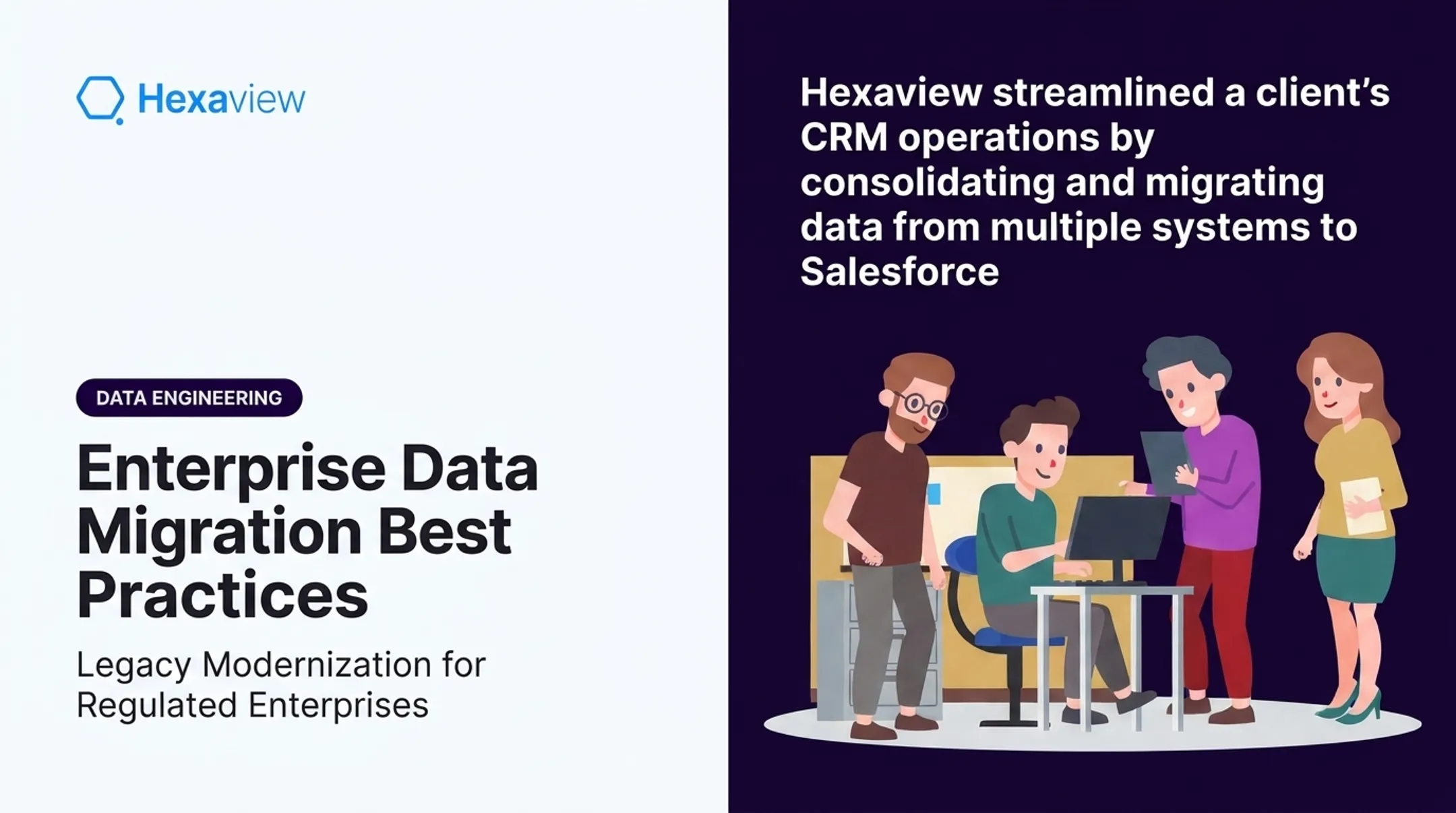
- A US-based financial services firm's data lake implementation saw 60% higher data accessibility, 75% improved analytical accuracy, and 50% less manual effort
- Automated workflows cut hours of manual reporting from day-to-day operations
- A wealth-management client's cloud implementation used VPN-based private cloud infrastructure with MFA and SSO-based Okta authentication
For capital markets and asset management clients, Hexaview's multi-custodian integration work spans LPL, Fidelity, and ORION data. Structured migration and automated testing turn that work into daily automated data loads and backups that run reliably in production.
Data Migration Tools and Technologies
Managed cloud-native tools handle much of the heavy lifting today:
- AWS DMS: Supports one-time migration or ongoing replication across heterogeneous database engines
- Azure Database Migration Service: Offers offline or minimal-downtime online migration options
- GCP Storage Transfer Service: Optimized for large object and file transfers with automatic retries
Choose managed services when your source/target combination is well-supported and timelines are tight. Build custom pipelines for legacy formats, unusual schemas, or heavy transformation logic—work Hexaview often handles through custom connectors and API integrations.
CDC (Change Data Capture) tools capture ongoing changes from database logs and replicate them to the target in near-real-time, which is why they matter for near-zero-downtime migrations. AWS explicitly states DMS CDC is not real-time and carries no latency SLA. Treat it as downtime reduction, not a guarantee.
Frequently Asked Questions
Why is data migration architecture important?
It ensures data integrity throughout the move, minimizes downtime during cutover, and supports future scalability. Without a defined architecture, migrations become ad hoc and error-prone.
What are the four types of data migration?
Storage, database, application, and cloud migration. Storage moves files, database moves structured records, application migration moves the app and its data together, and cloud migration shifts workloads to platforms like AWS or Azure.
What is the safest data migration strategy for critical systems?
Phased or trickle migration is generally safer for mission-critical systems. It reduces downtime exposure and allows incremental validation before full cutover.
How long does a data migration project typically take?
Timelines range from days to months, depending on data volume, system complexity, and chosen strategy. There's no universal benchmark; assessment quality drives the timeline more than anything else.
What is data migration testing?
It verifies that migrated data is complete, accurate, and functional before go-live. This includes data integrity checks, application functionality testing, and performance validation.
How can businesses minimize downtime during migration?
Phased approaches, off-peak scheduling, and CDC-based parallel runs all reduce downtime. Combining these techniques allows systems to stay operational while data syncs in the background.