
For fintech, healthcare, and wealth management firms, the stakes are higher than a blown timeline. Regulatory obligations under HIPAA, SOC 2, and GDPR mean a botched migration can trigger compliance violations, not just IT headaches. Enterprise data migration is a business initiative that happens to run through IT, not the other way around.
This guide breaks down the four core migration types, the biggest risks enterprises face, and a step-by-step framework for getting migration right the first time.
Key Takeaways
- Migration success comes from structured discovery and validation, not just moving files
- Storage, database, application, and warehouse/ETL migrations each demand different playbooks
- Data quality checks and governance controls cut risk more than any single tool
- Regulated industries need compliance built into the migration plan, not bolted on afterward
- Experienced implementation partners shorten timelines and reduce failure risk
What Is Enterprise Data Migration and Why It Matters
Enterprise data migration is the structured transfer of data between systems, platforms, or storage environments while preserving accuracy and keeping the business running. It's broader than copying files — it can mean changing the storage platform, the database engine, the application layer, or all three at once.
Enterprises typically undertake migration for a handful of reasons:
- Cloud adoption — moving off aging on-prem infrastructure
- System modernization — replacing legacy platforms that can't scale
- Mergers and acquisitions — consolidating disparate data environments
- Regulatory compliance — meeting new data residency or security standards
- AI and analytics readiness — centralizing data for modeling and reporting
Those drivers are common—and so is failure when migration is under-scoped. Hexaview's research into modernization initiatives found that 70% of modernization attempts go over budget or fail to launch entirely. Migration is often handled as a technical task when it needs to run as a governed program with its own budget, owner, and risk register.
Types of Enterprise Data Migration
Enterprises generally sort migrations into four practical categories. Each carries its own risk profile and toolset.

Storage Migration
Storage migration moves data between physical or cloud systems, such as shifting on-premises file servers to AWS S3 or Azure Blob. Common triggers include hardware refresh cycles, rising storage costs, or a shift toward multi-cloud architecture. The main concern here is preserving metadata and access permissions during the move.
Database Migration
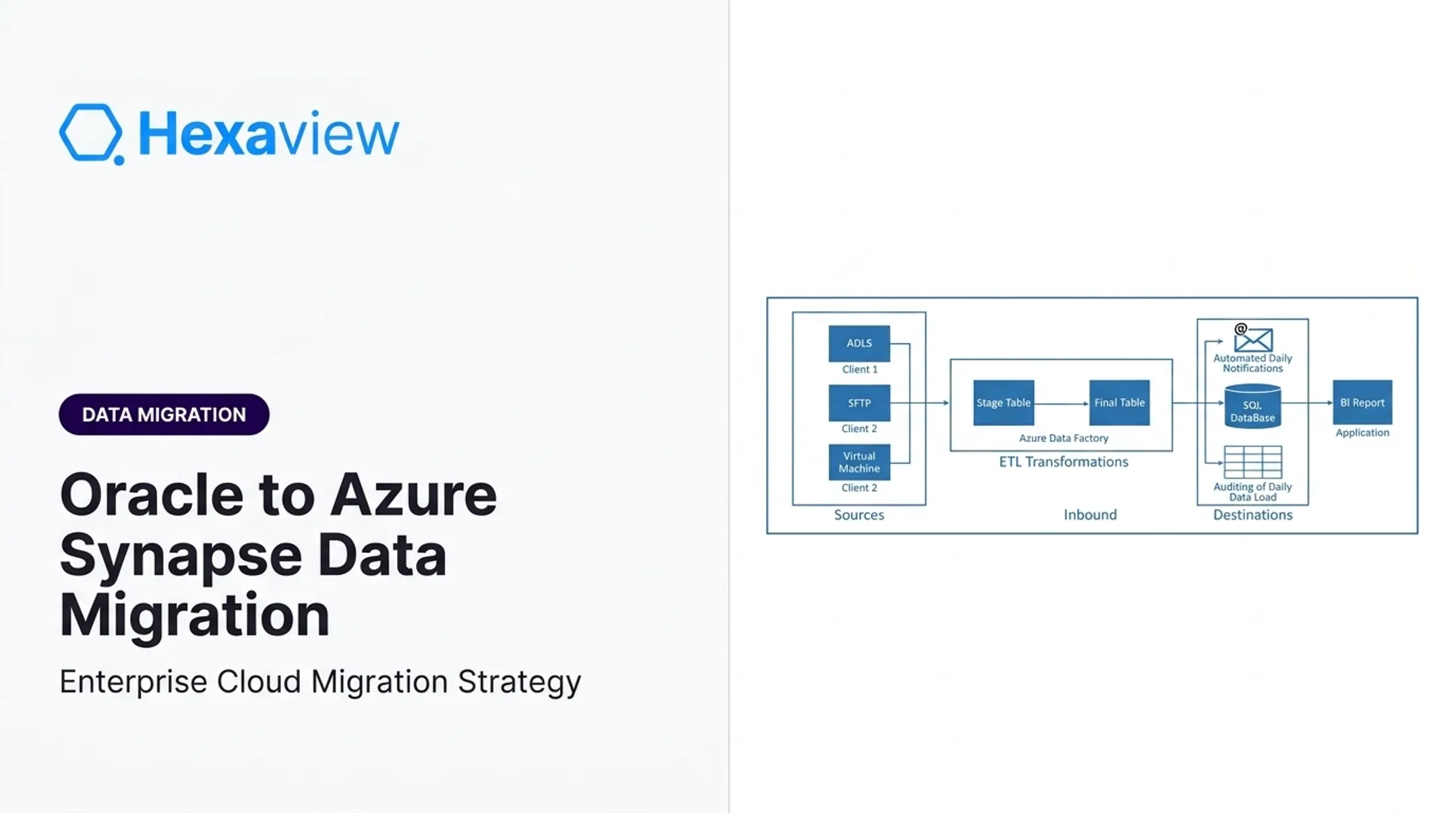
Database migration moves structured data between platforms, for example Oracle to PostgreSQL. Hexaview has handled this exact scenario, restructuring poorly normalized databases into properly indexed PostgreSQL environments for faster, more reliable querying. Schema mapping and data integrity are the top concerns. A missed foreign key or mismatched data type can silently corrupt reporting downstream.
Application Migration
Application migration happens when a business replaces or upgrades an application, such as moving from a legacy CRM to a modern SaaS platform. The hard part is preserving business logic and workflows along with the records.
In one Hexaview engagement, migrating a Guidewire ProducerEngage platform from on-premises to Guidewire Cloud required reimplementing the authentication and authorization module outside the original system. That logic did not carry over cleanly.
Data Warehouse/ETL Migration
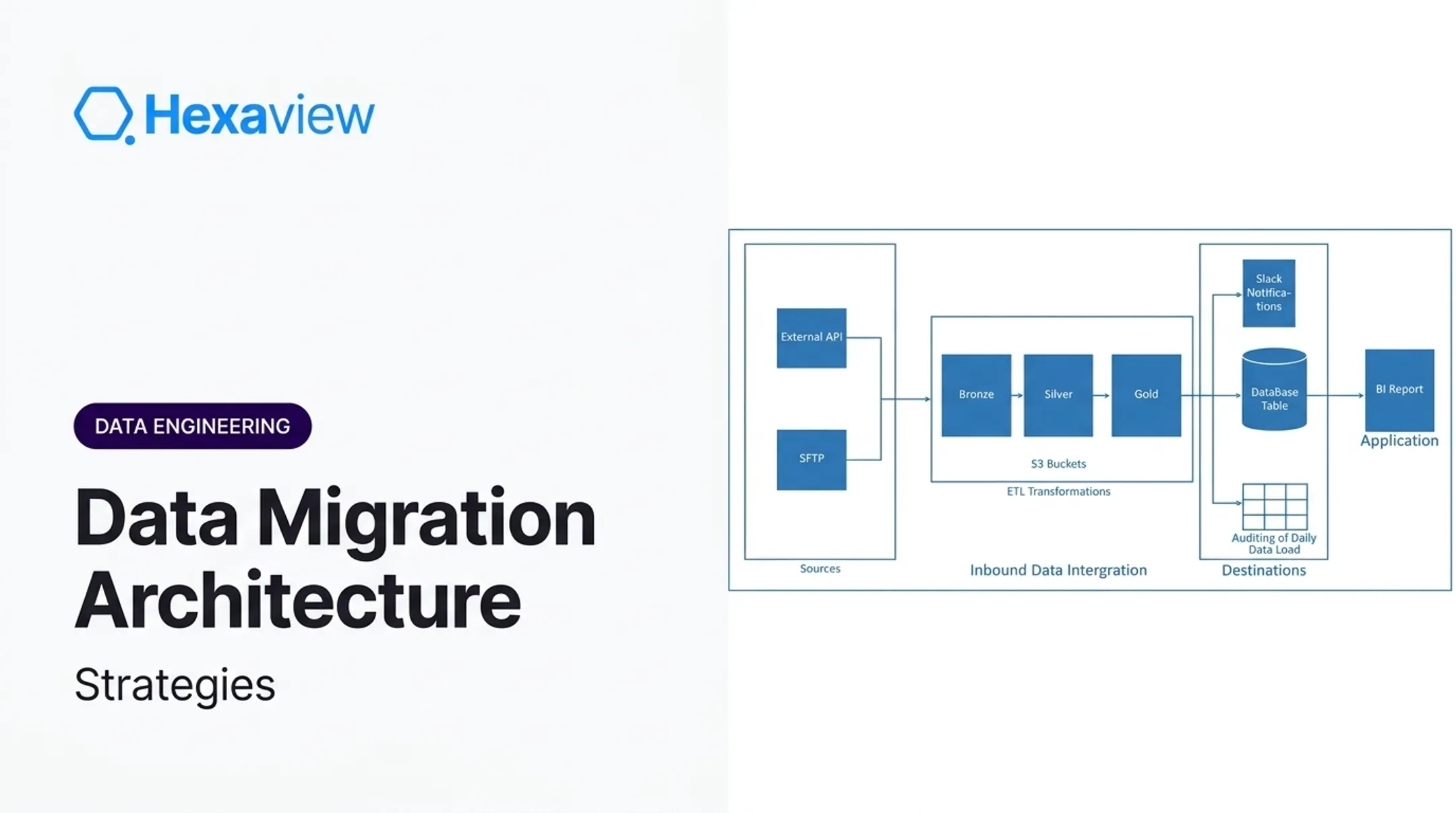
Data warehouse and ETL migration moves analytical models and pipelines to modern cloud warehouses or lakehouses. ETL (extract, transform, load) pulls data from source systems into a staging area, reshapes it for the new schema, then loads it into the target warehouse.
Hexaview has delivered this for financial services clients, migrating data from Geneva and Mariana accounting systems into modern cloud data lakes with custom connectors and ETL pipelines. One flagship project improved data accessibility by 60% and analytical accuracy by 75%.

Common Challenges and Risks in Enterprise Migration
Downtime for Mission-Critical Systems
A TechTarget survey based on Syncsort data found 64% of IT professionals reported system downtime of 1-48 hours during their most recent migration. For a trading platform or a patient records system, that window is a business continuity event. Phased cutover approaches, rather than one big switch, reduce this exposure significantly.
Data Quality Issues
Duplicates, schema mismatches, and incomplete records don't just slow migrations down. They corrupt the decisions made on the other side. Gartner reports that 59% of organizations don't measure data quality at all, and poor data quality costs affected organizations an average of $12.9 million per year. Hexaview encountered this directly on a Salesforce migration project, where the same customer information was duplicated across multiple objects, confusing sales and service teams before the data model was consolidated.
Compliance and Security Risk
Regulated industries face a layered risk: technical failure plus regulatory exposure. HIPAA requires administrative, physical, and technical safeguards for electronic health data, including:
- Access controls
- Audit trails
- Encryption in transit and at rest
Migrations in healthcare, fintech, and insurance also inherit SOX, GDPR, and SOC 2 expectations. Hexaview builds role-based access and audit logging into each implementation and delivers under its SOC 2 Type 2 certified controls so regulatory exposure is addressed alongside the technical cutover.

Step-by-Step Best Practices for Successful Data Migration
1. Run a comprehensive data audit first. Document data models, dependencies, volumes, and sensitive fields before any planning begins. Skipping this step is the single biggest predictor of scope creep later.
2. Define your migration strategy up front. Decide between phased and big-bang approaches based on downtime tolerance, business goals, and compliance requirements, not on what's technically easiest.
3. Select the right tools and automation platforms. Manual data mapping introduces errors at scale. Automated validation catches them before they hit production.
4. Build testing into every phase, not just the end. This means:
- Data reconciliation and checksums at each stage
- Row counts and metadata comparisons between source and target
- User acceptance testing with actual business owners, not just IT staff
5. Embed governance and security throughout. Encryption in transit and at rest, role-based access, and audit trails should be checkpoints in your migration plan, not afterthoughts added post-cutover.
6. Bring in experienced partners for regulated migrations. Hexaview holds SOC 2 Type 2 certification and AWS Select Tier Service Partner status, and has run HIPAA-compliant cloud migrations for healthcare clients that achieved zero downtime. For firms managing patient data or financial records, those credentials directly affect whether an audit closes clean or turns into a compliance finding.

Choosing the Right Migration Strategy and Tools
Most large migrations don't rely on one strategy. AWS's widely referenced framework, known as the 7 Rs, gives enterprises a menu:
| Strategy | What it means |
|---|---|
| Retire | Decommission workloads no longer needed |
| Retain | Keep as-is if not ready to move |
| Rehost | Lift-and-shift with minimal changes |
| Relocate | Move to another platform with limited rework |
| Repurchase | Replace with a different product entirely |
| Replatform | Optimize slightly without changing core architecture |
| Refactor/Re-architect | Rebuild the architecture substantially |
Choosing the wrong strategy for the wrong workload is a common and costly mistake. Applying a straight lift-and-shift to complex analytical pipelines, for example, often means rebuilding broken ETL jobs after the fact instead of before.
Key decision factors when choosing a strategy:
- Data volume and complexity
- Downtime tolerance for the business
- Regulatory requirements specific to the industry
- Target architecture (cloud, hybrid, or lakehouse)
Automation cuts the manual rebuild work that traditionally slows ETL migrations. Tools like Apache Airflow, AWS Glue, and Azure Data Factory handle orchestration and transformation at scale.
Hexaview's approach leans on phased cutovers with parallel testing, running old and new systems side by side before fully retiring the legacy environment. That same pattern powered a recent healthcare cloud migration that delivered HIPAA-compliant infrastructure with zero downtime.

Frequently Asked Questions
What are the four types of data migration?
The four primary categories are storage, database, application, and data warehouse/ETL migration. Each requires different tools, risk mitigation, and testing approaches based on what's moving and where.
What are the 7 migration strategies?
AWS's framework includes Retire, Retain, Rehost, Relocate, Repurchase, Replatform, and Refactor/re-architect. Enterprises typically apply different strategies to different workloads within the same program.
What is ETL for data migration?
ETL stands for extract, transform, load. It's the process of pulling data from source systems, reshaping it to match the target schema, and loading it into the new destination. ETL is most common in data warehouse migrations.
How long does an enterprise data migration typically take?
Timelines vary widely based on data volume and complexity, ranging from a few weeks for a single database migration to several months for a full warehouse or application overhaul. There's no universal benchmark; plan around your own data footprint.
What are the biggest risks in enterprise data migration?
Data loss, extended downtime, compliance violations, and cost overruns top the list. Poor data quality and unreconciled records are often the root cause behind the other three.
How can enterprises reduce data migration risk?
Start with a thorough data audit, choose a phased approach where possible, automate validation at every stage, and work with a partner who has handled regulated migrations before. Certifications like SOC 2 Type 2 aren't just paperwork — they reflect tested processes.