
Last quarter our team inherited a monster of a Fabric workspace. I'm talking 50 something items notebooks, data pipelines calling other data pipelines, semantic models with connections pointing everywhere. The kind of workspace that makes you nervous just opening it, especially when you realize Microsoft Fabric CI/CD is the only way to manage deployments without losing your mind.
The deployment process at the time? Someone on our team would literally sit there and manually copy things from dev to production. Clicking through the UI. One item at a time. And yeah one Friday evening a wrong connection string made it to prod, broke a client-facing report, and suddenly everyone's weekend plans were ruined.
After that incident we were like nope, never again. We need actual Microsoft Fabric CI/CD for this.
Took us roughly two days to figure everything out. There's a surprising amount of tribal knowledge involved that isn't documented anywhere properly. This blog is my attempt to write down everything so the next person doesn't have to go through the same pain.
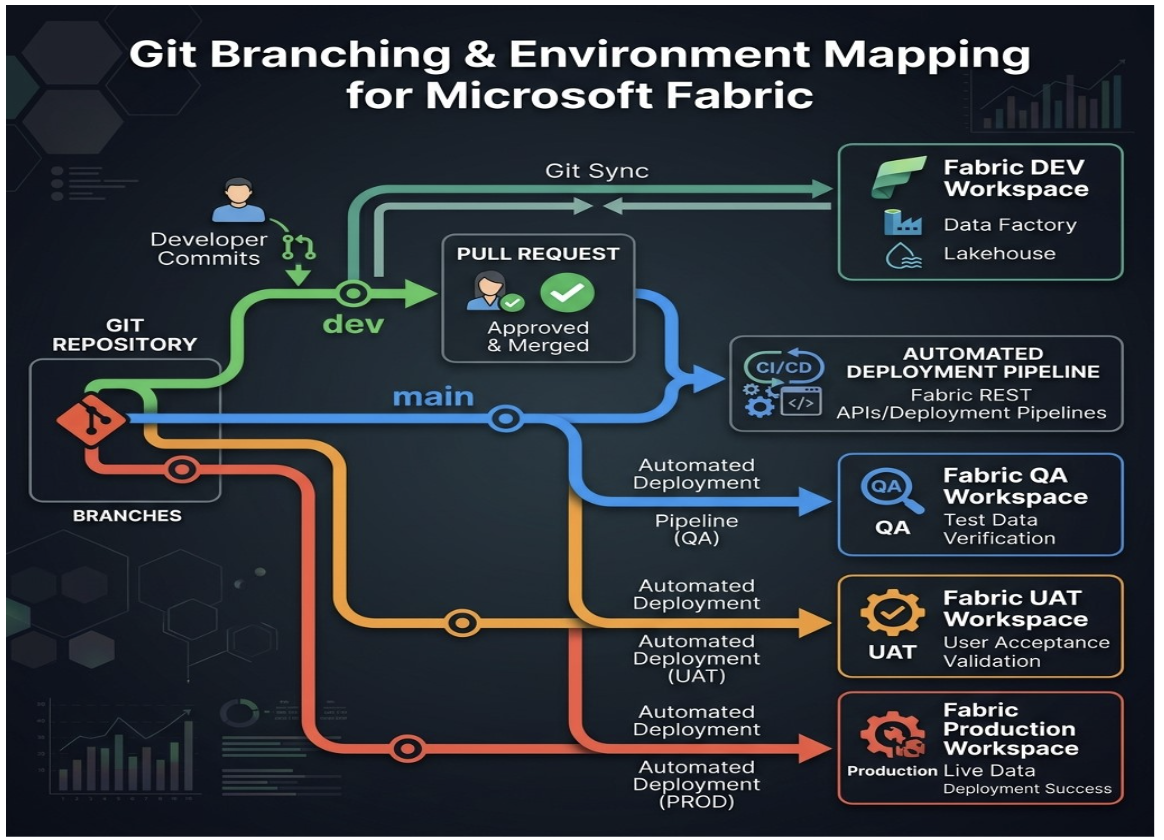
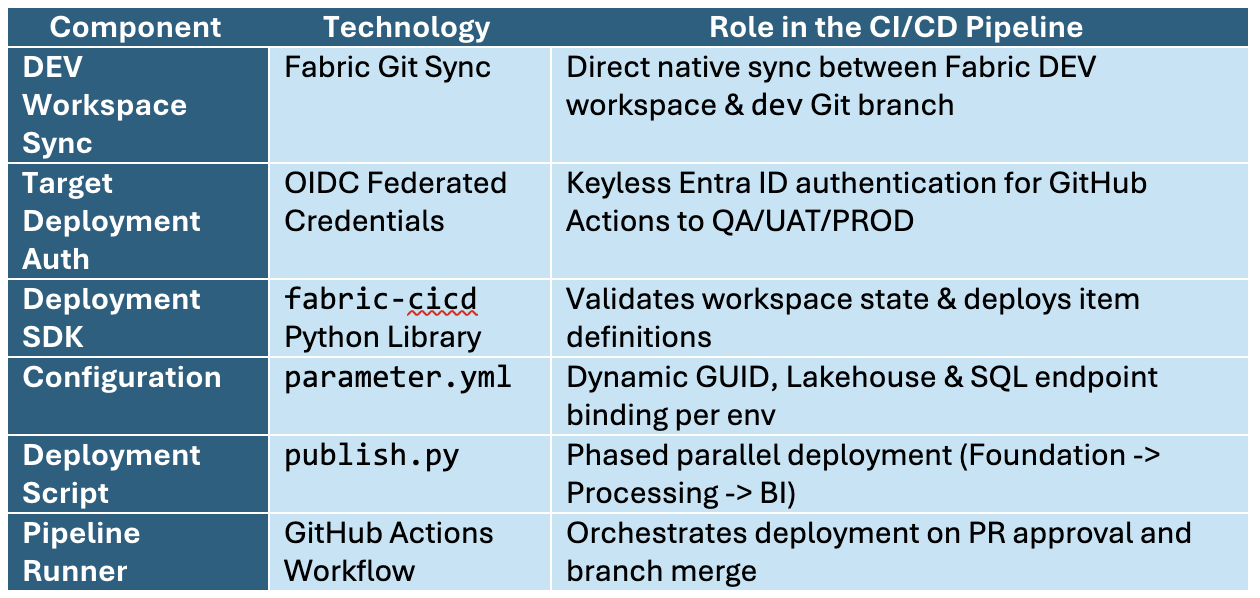
Here is the fundamental architecture of our deployment pipeline:
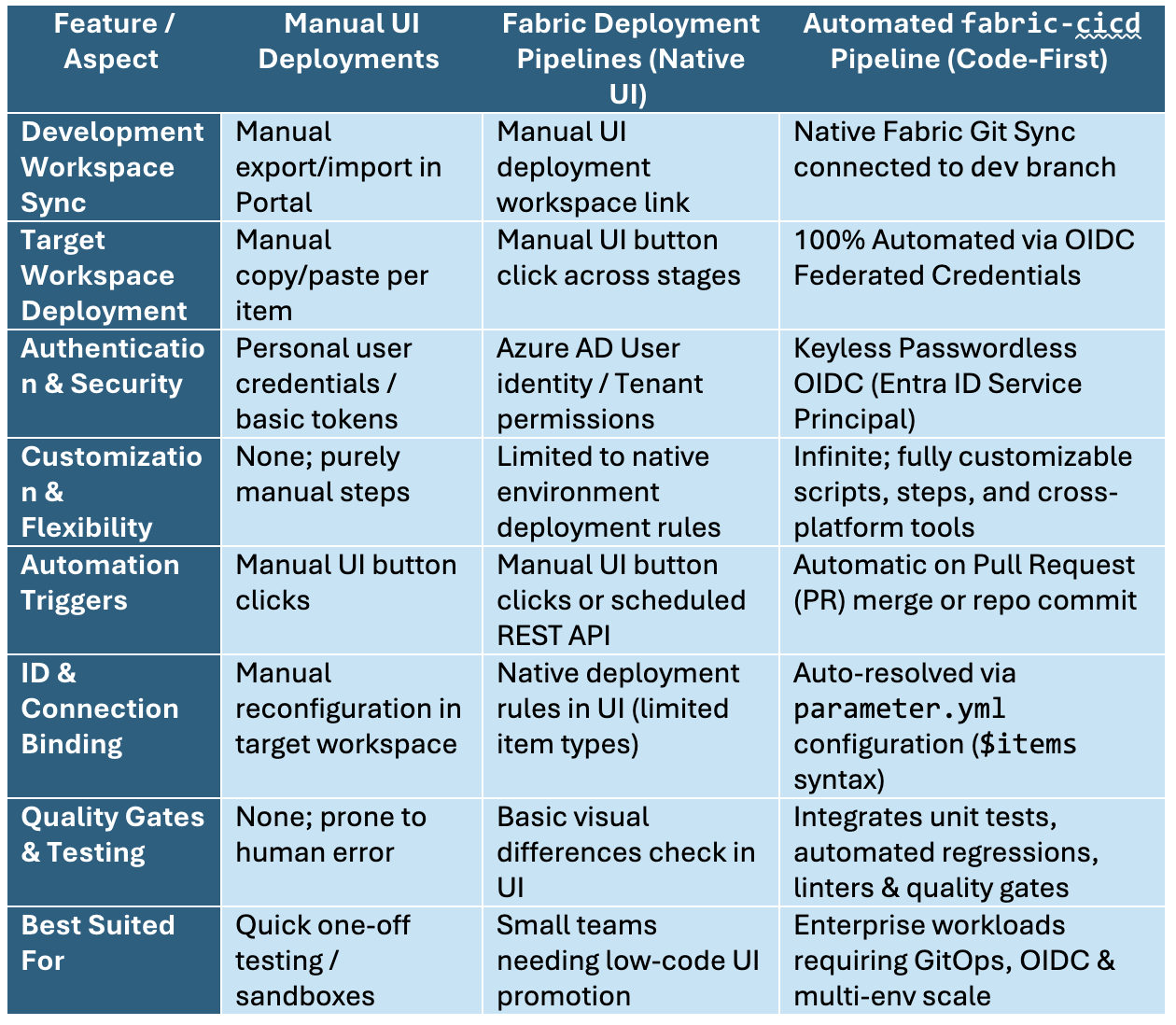
The table below captures the key differences across the three deployment models:
To move beyond theory, our team built a full CI/CD automation stack connecting GitHub repository branches (dev, qa, main) to Fabric workspaces. The goal was to establish zero-touch production deployments protected by pull request approvals and OIDC authentication.
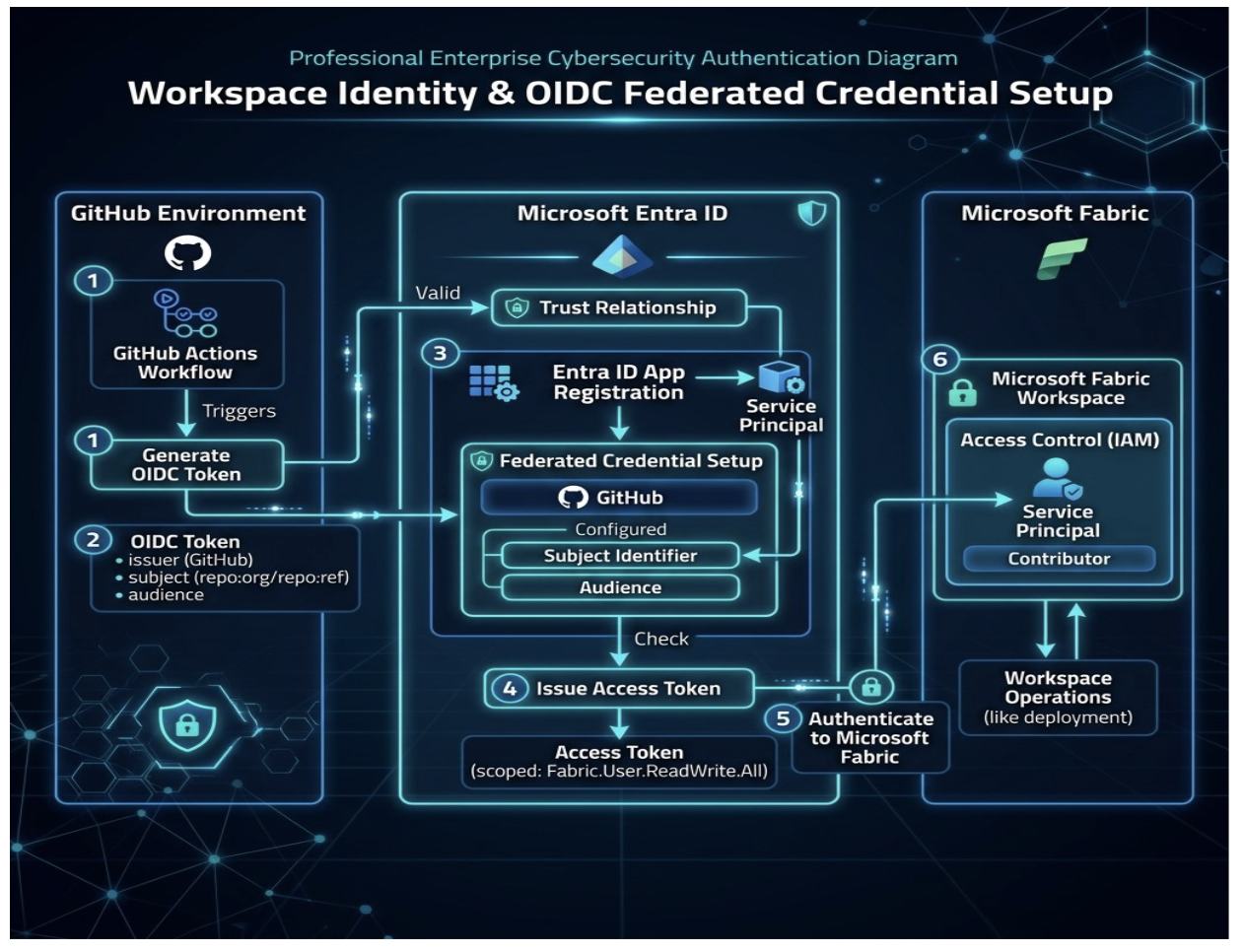
Each workspace you want to deploy to needs its own identity:
When you create a workspace identity, Azure quietly creates an App Registration for you in Entra ID with the same name. You do not need to manually create one.
To configure OIDC:
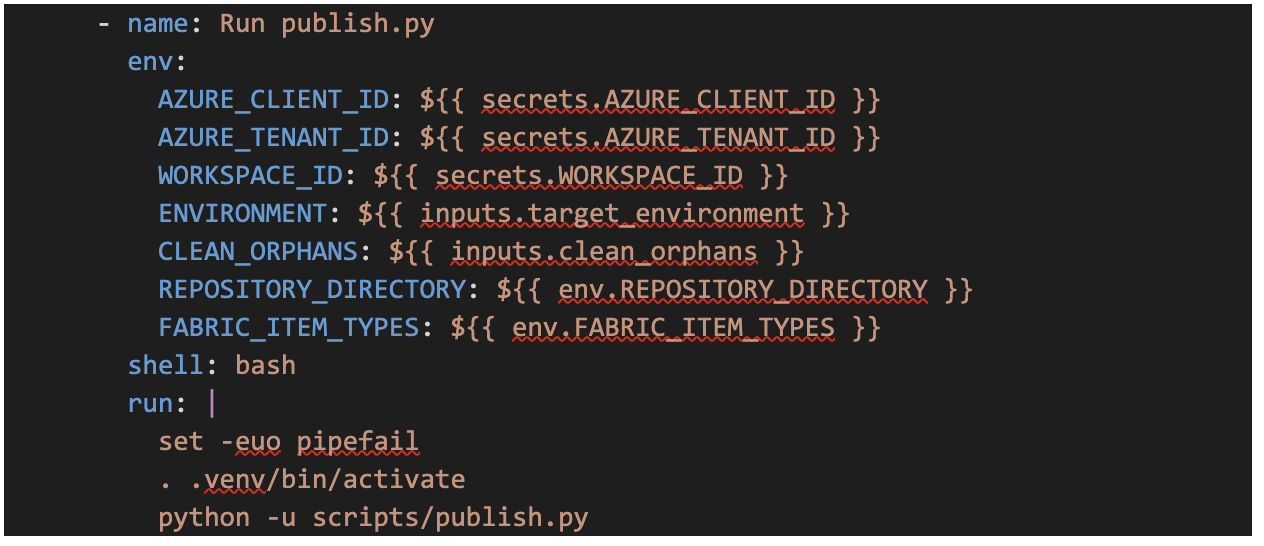
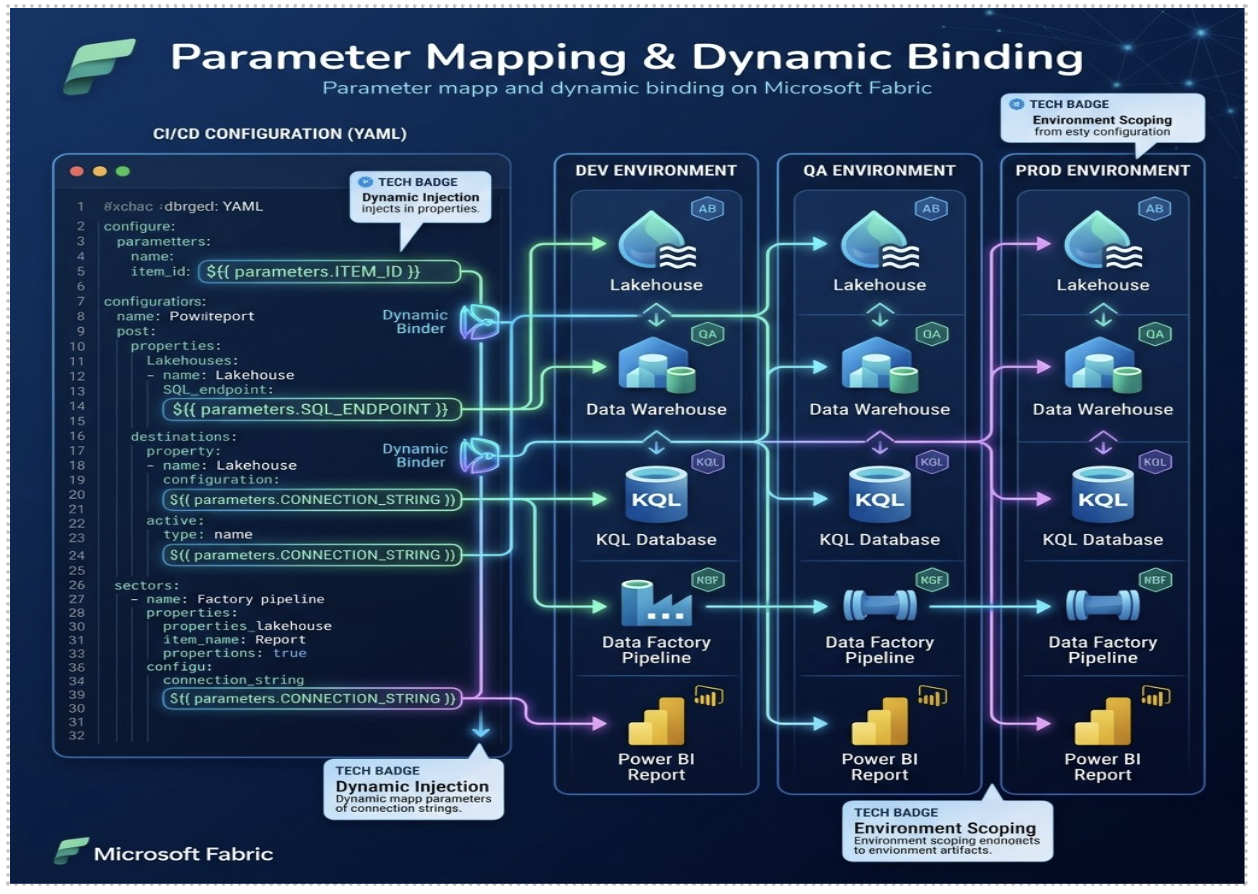
The parameter.yml file controls how fabric-cicd replaces dev-specific GUIDs and endpoints for target environments:
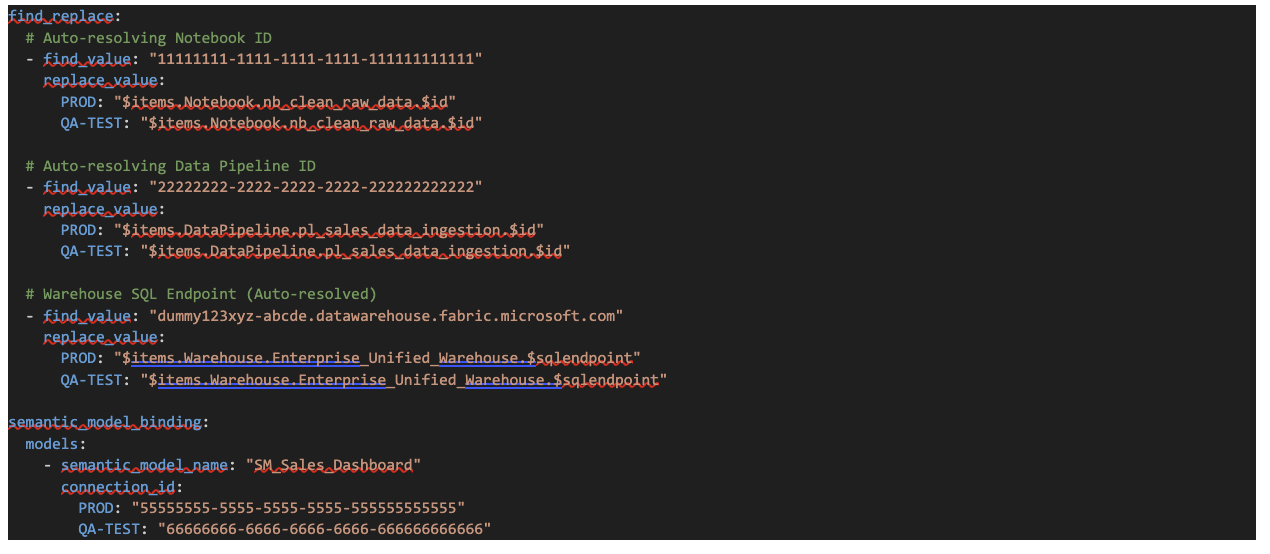
Quick tip if one service account creates connections in every environment, the IDs stay identical and you skip this entirely. In practice though, different people usually set up QA vs PROD so the IDs end up different. Then you map them manually:
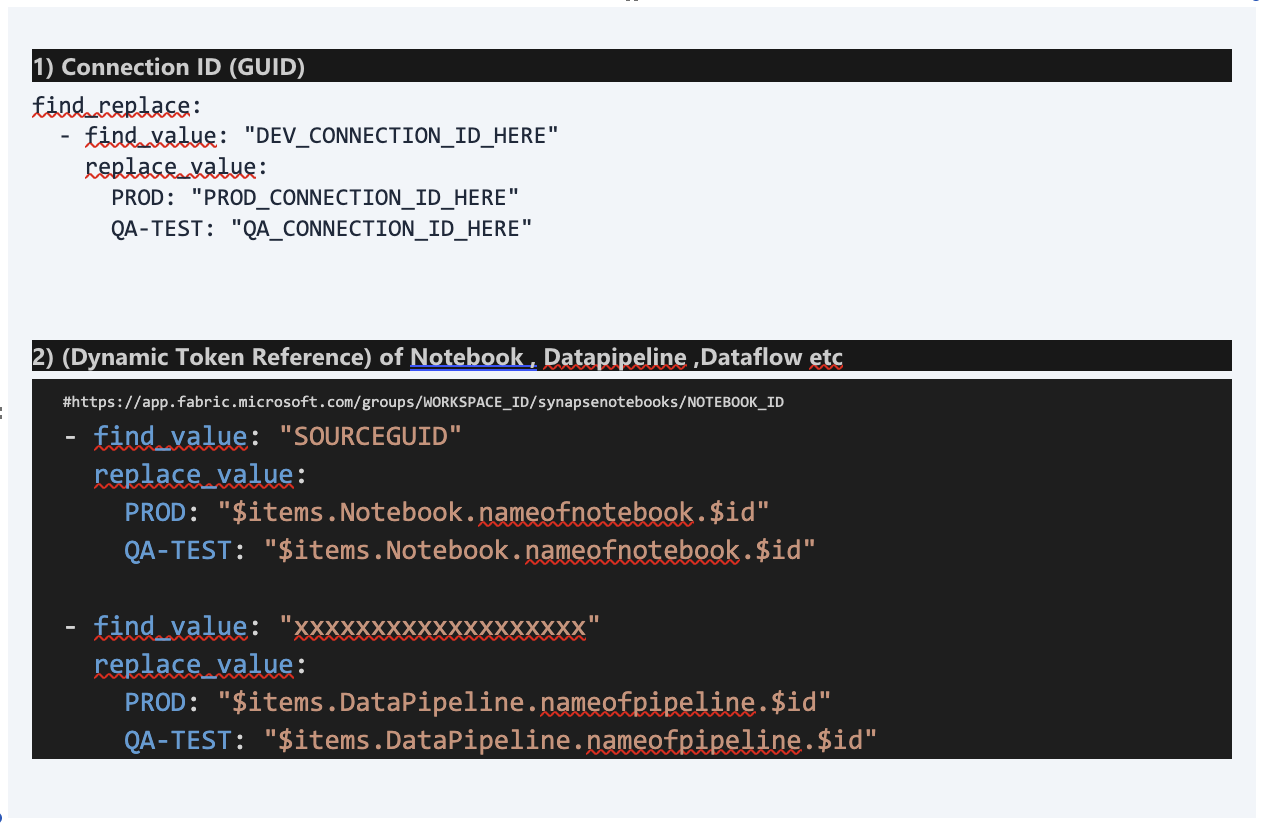
These need their own dedicated block. Pretty self-explanatory each model gets mapped to a connection per environment:
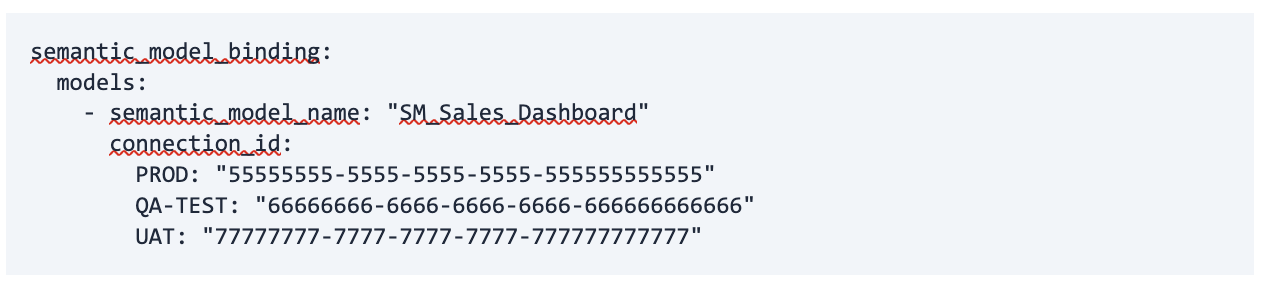
These don't autoresolve. Annoying? Yes. But it is what it is. Grab the connection ID from each environment and map them by hand:

These ones DO autoresolve though. Grab the SQL connection string from dev and use the $sqlendpoint variable:

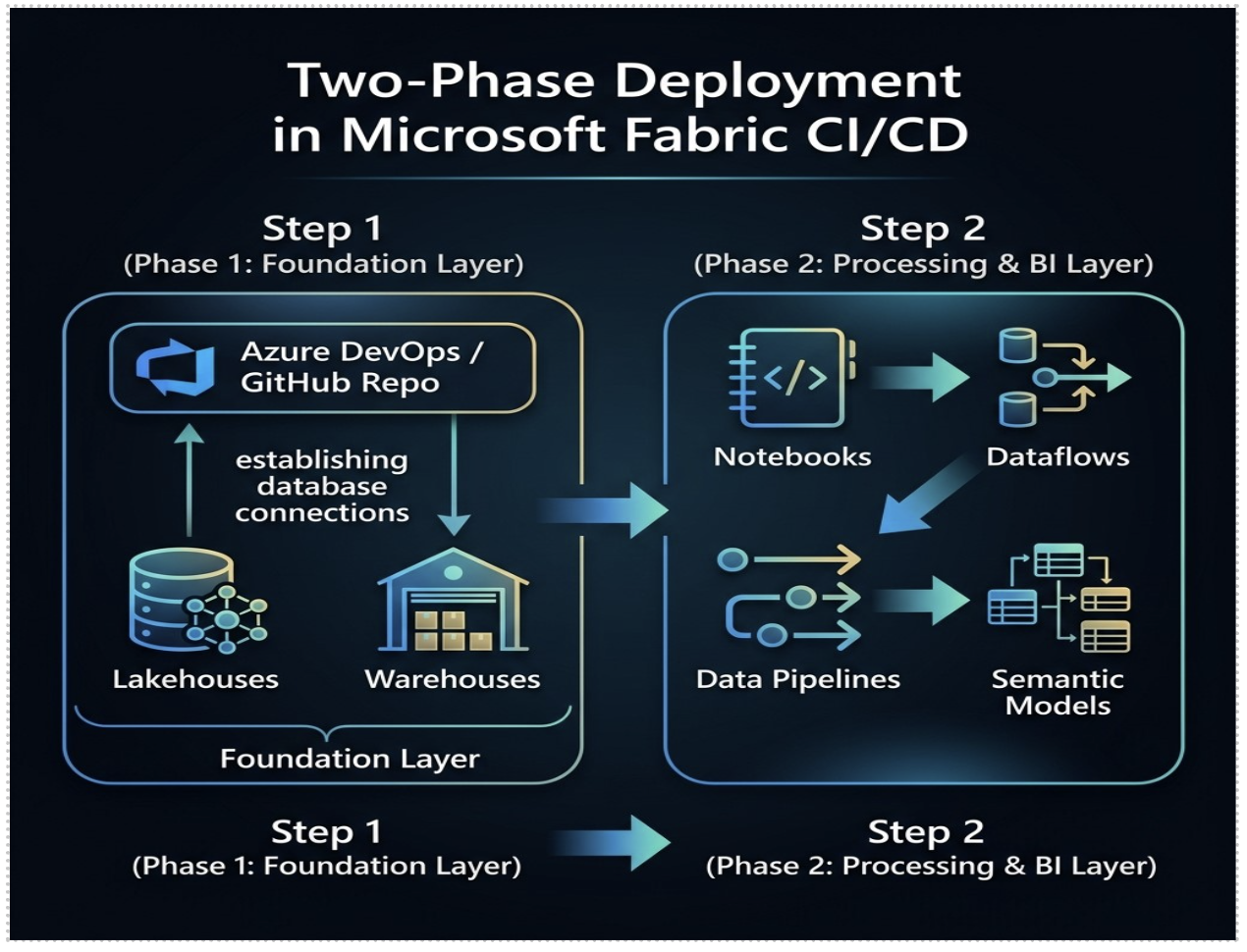
When deploying to a brand new workspace for the first time:
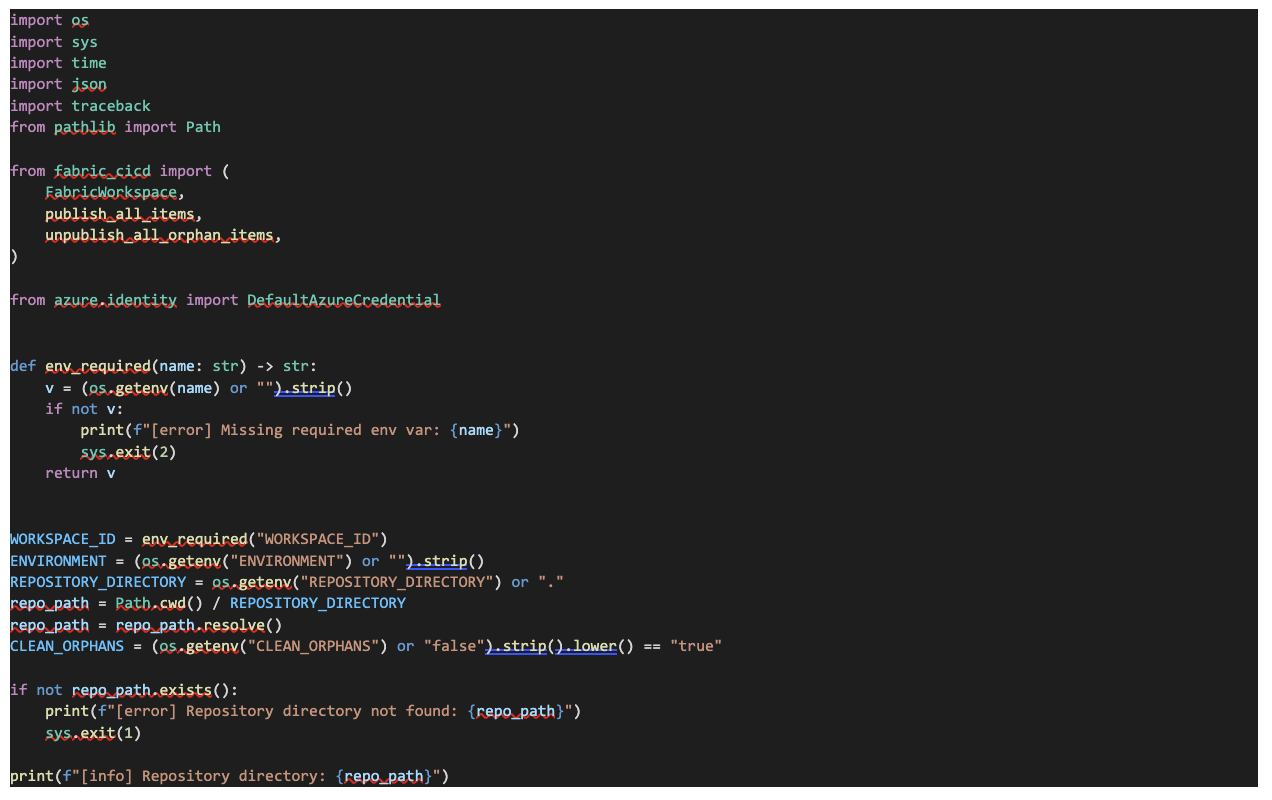
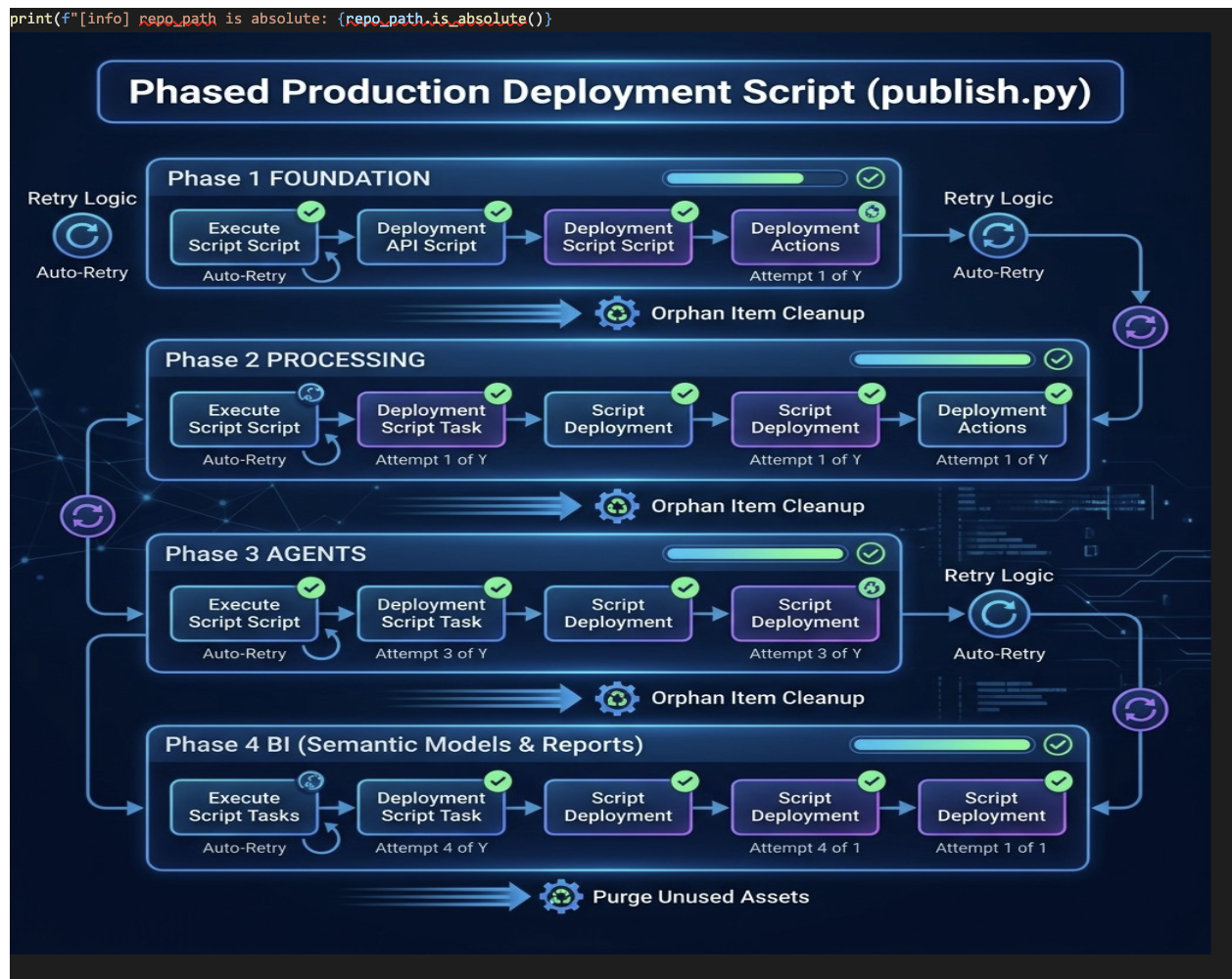
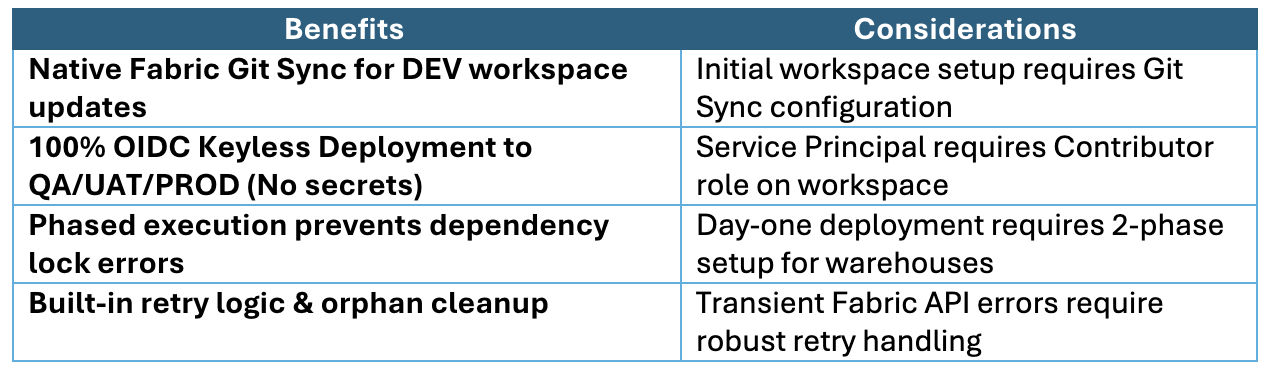
For business stakeholders, release stability increases dramatically. Deployment time drops from 45+ minutes of risky manual UI work to under 10 minutes of automated execution, eliminating Friday night production outages.
For technology and DevOps teams, Fabric CI/CD brings standard software engineering rigor to data analytics. Key questions to start with:
Why Hexaview Technologies is Your Strategic Microsoft Fabric Partner?
Senior leadership requires a partner that delivers end-to-end transformation rather than fragmented tools. Hexaview Technologies provides full-lifecycle data engineering, automation, and managed migration services:
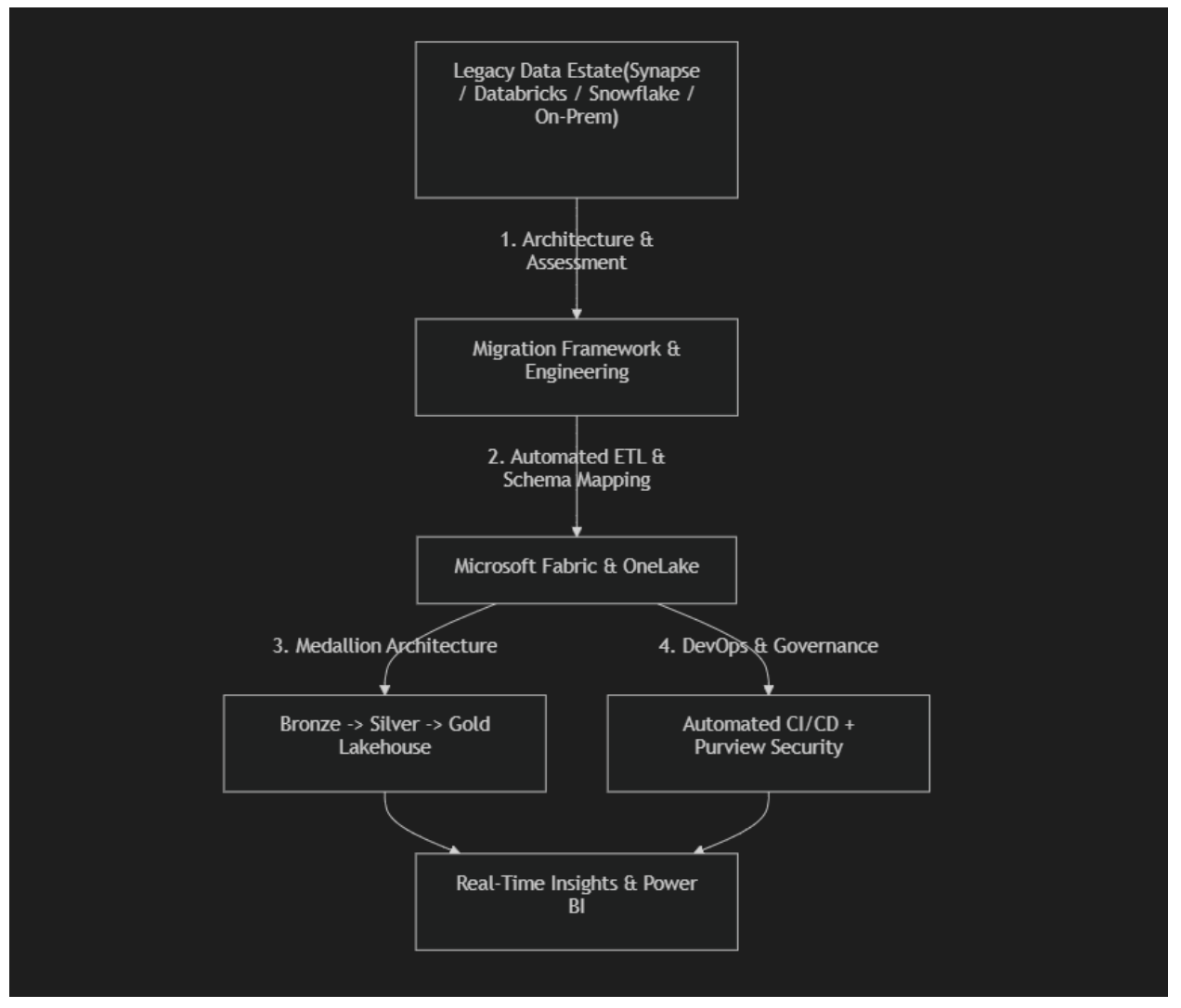
Whether your organization is looking to migrate to Microsoft fabric, implement Microsoft Fabric, automate deployments, or establish enterprise-grade data governance, Hexaview Technologies has the blueprint, tools, and expertise to accelerate your success.
1. How does DEV workspace Git Sync differ from OIDC target workspace deployment?
DEV workspace is connected via native Fabric Git Sync so developer changes commit directly to the dev Git branch. All downstream deployments (QA, UAT, PROD) are executed via automated pipelines using keyless OIDC Federated Credentials.
2. What is the difference between Fabric Deployment Pipelines and GitHub Actions fabric-cicd?
Fabric Deployment Pipelines are low-code, UI-driven tools built into Fabric. GitHub Actions with fabric-cicd provides code-centric automation, PR integration, OIDC keyless security, and unlimited custom deployment steps.
3. Why use OIDC Federated Credentials instead of Client Secrets?
OIDC eliminates stored passwords and secrets in your repository. GitHub Actions receives temporary short-lived tokens, improving security compliance.
4. What is fabric-cicd?
fabric-cicd is an open-source Python library designed to automate the validation, deployment, and unpublishing of Microsoft Fabric workspace items using code.
5. How does fabric-cicd handle cross-workspace dependencies?
Through parameter.yml, fabric-cicd auto-resolves item GUIDs and connection IDs dynamically per target environment (DEV, QA, UAT, PROD).
6. Why is a Two-Phase deployment needed for brand new workspaces?
Semantic models referencing warehouses require fixed identity connections. The warehouse must exist first (Phase 1) before the connection and model can be bound (Phase 2).
7. Can we run fabric-cicd in Azure DevOps instead of GitHub Actions?
Yes! You can use an ARM Service Connection with Workload Identity Federation and execute the Python script via AzureCLI@2 task in Azure DevOps Pipelines.








.svg)



.svg)