
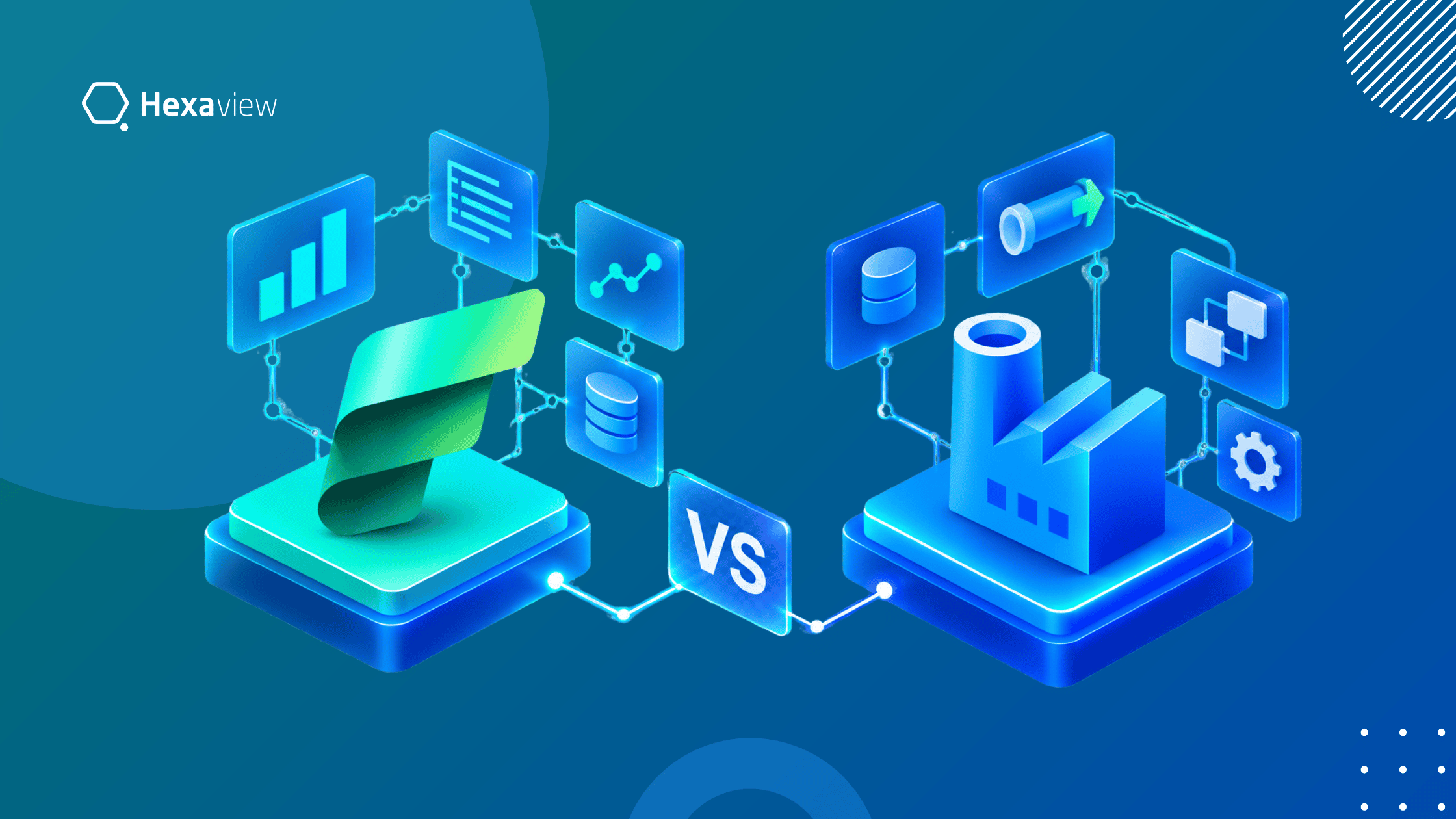
Azure Data Factory (ADF) is a cloud-based service for data integration and orchestration. Data Factory in Microsoft Fabric provides similar capabilities within the broader Microsoft Fabric SaaS platform. The key difference is scope: ADF focuses on integration and orchestration, while Fabric Data Factory works with OneLake, Lakehouse, Data Warehouse, Power BI, Data Engineering, Real-Time Intelligence, and other Fabric workloads. Microsoft describes Fabric Data Factory as the next generation of ADF.
Azure Data Factory (ADF) is a cloud-based data integration service that helps organizations connect, move, transform, and orchestrate data across different environments. It is commonly used to build automated data workflows across cloud and on-premises systems.
Azure Data Factory supports cloud-based data integration for ETL and ELT workflows. Its pipelines coordinate activities that extract data, move it between systems, and prepare it for analysis.
Mapping Data Flows provide visual, code-free transformation capabilities for supported scenarios. ADF also supports scheduled and event-based triggers, allowing pipelines to run automatically.
Its extensive connectors help integrate databases, applications, files, cloud services, and other data stores. Integration Runtime provides the compute infrastructure required for data movement, transformation, and activity execution across different network environments.
These capabilities make ADF useful for building repeatable and automated enterprise data workflows.
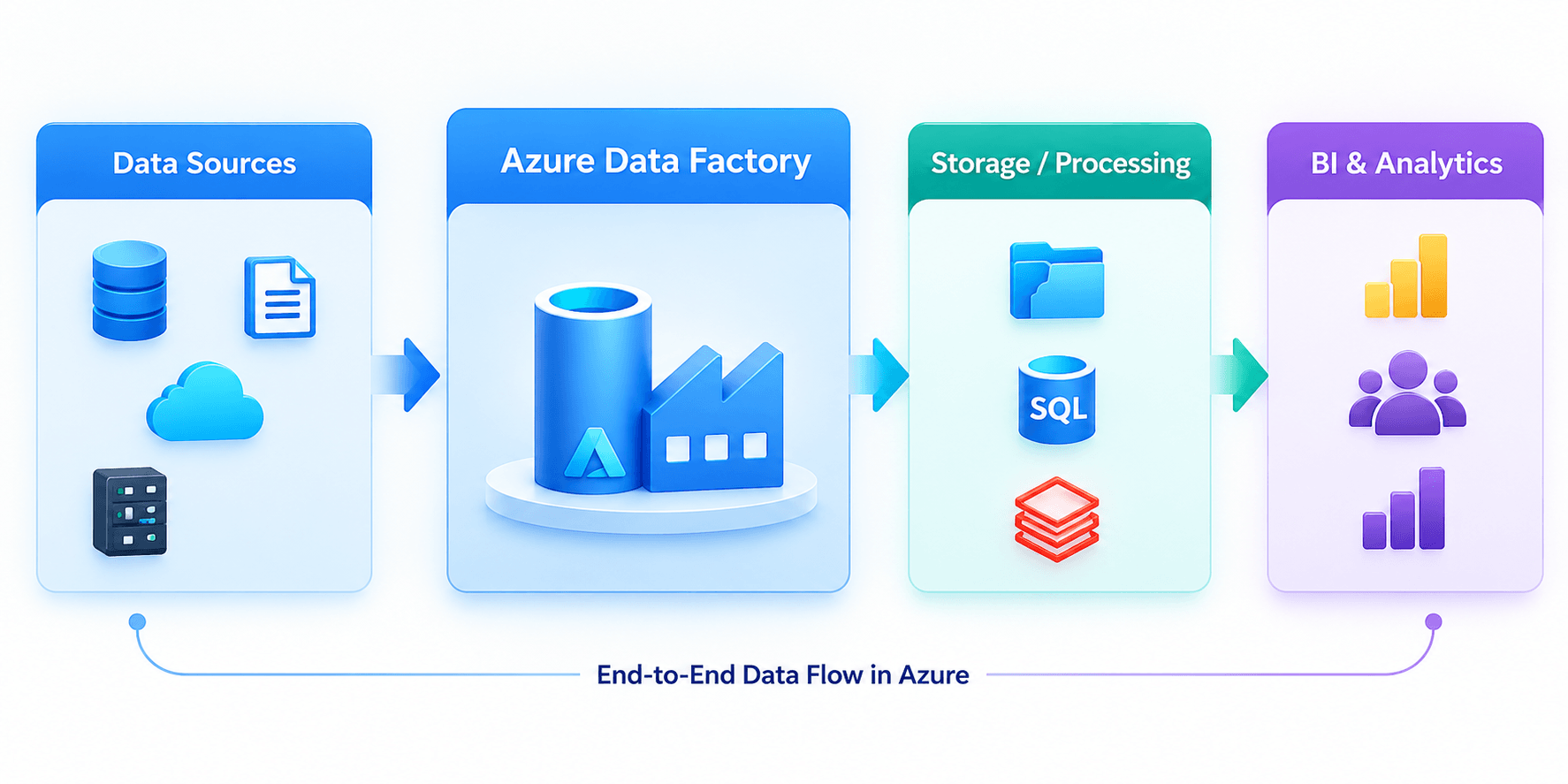
ADF generally acts as the data integration and orchestration layer within an Azure data architecture. It connects source systems with storage, processing, and analytics services while coordinating how data moves between them. A typical architecture can be represented as:
Data Sources → Azure Data Factory → Storage / Synapse / Databricks → BI
For example, ADF can ingest operational data, move it into Azure Storage, trigger transformations in Synapse or Databricks, and prepare datasets for downstream BI and analytics. This separation allows organizations to manage data movement and workflow orchestration independently from storage and analytical processing.
Microsoft Fabric Data Factory is the data integration and orchestration capability within Microsoft Fabric. It helps organizations connect data sources, move data, build transformation workflows, and prepare information for analytics. Unlike standalone Azure Data Factory, Fabric Data Factory operates within the broader Fabric SaaS environment. This allows data integration to work closely with OneLake and other Fabric workloads.
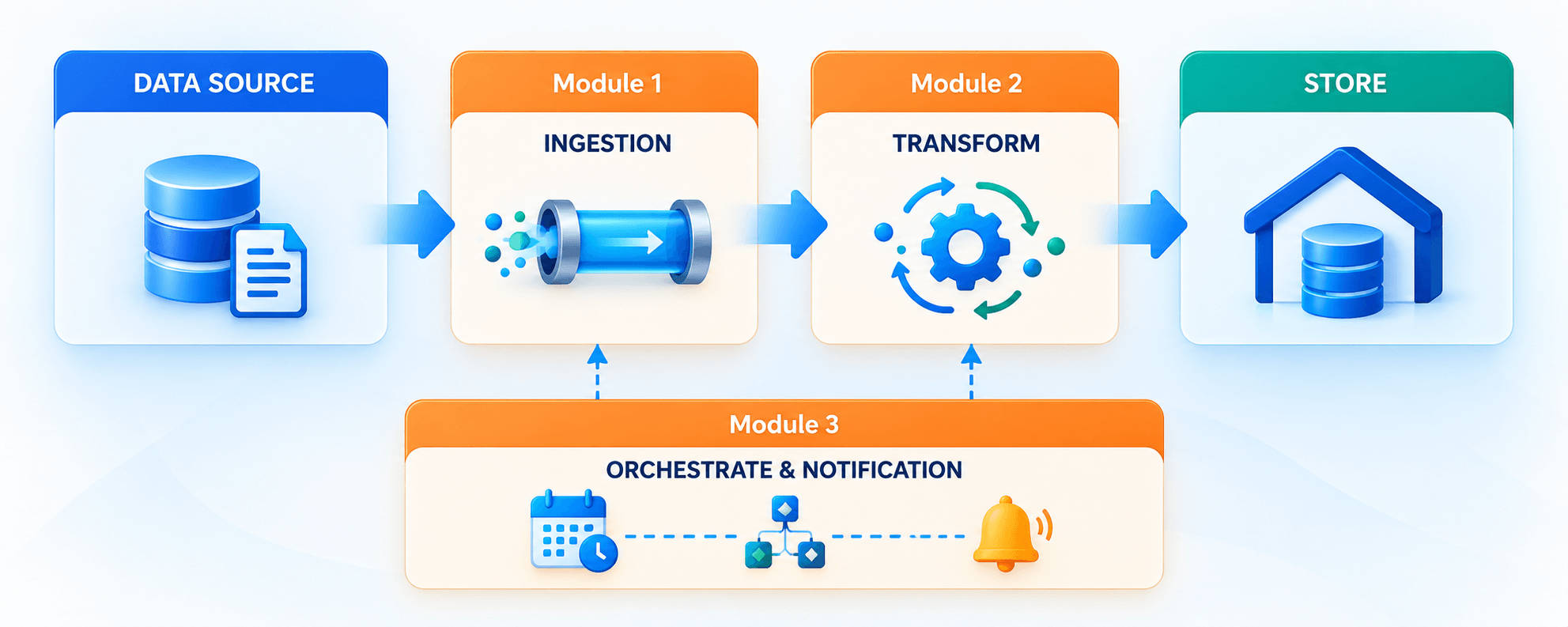
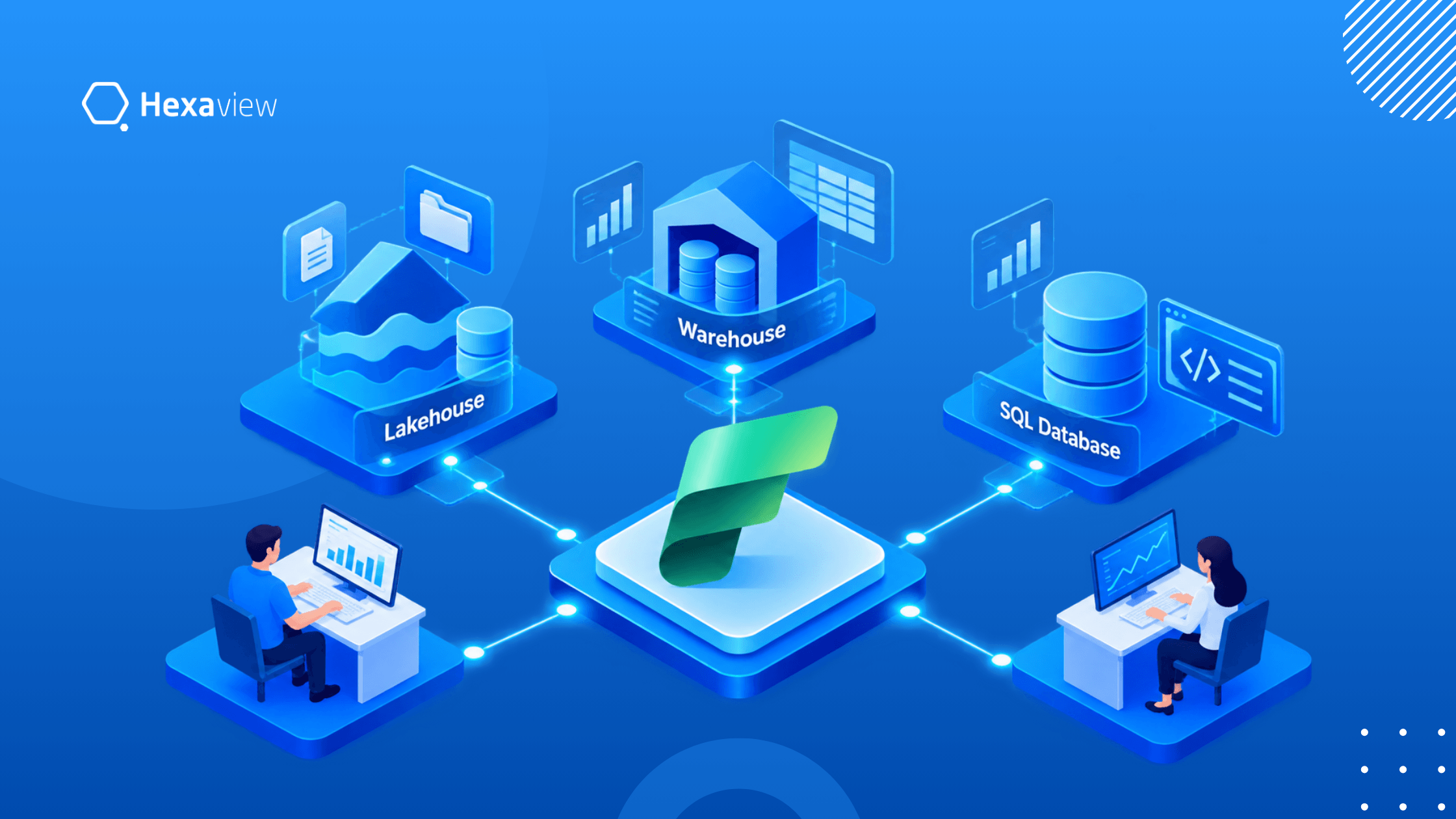
Fabric Data Factory acts as the integration entry point for data flowing into the Fabric environment. Data Factory pipelines and copy jobs can bring information from multiple sources into OneLake.
From there, data can be organized in a Lakehouse or Warehouse for engineering, SQL analytics, and reporting. Power BI can consume governed data for dashboards and business intelligence, while Data Science supports advanced analytical workloads.
Real-Time Intelligence can work with streaming and event-driven data scenarios. This connected architecture reduces the need to manage separate integration, storage, and analytics platforms.
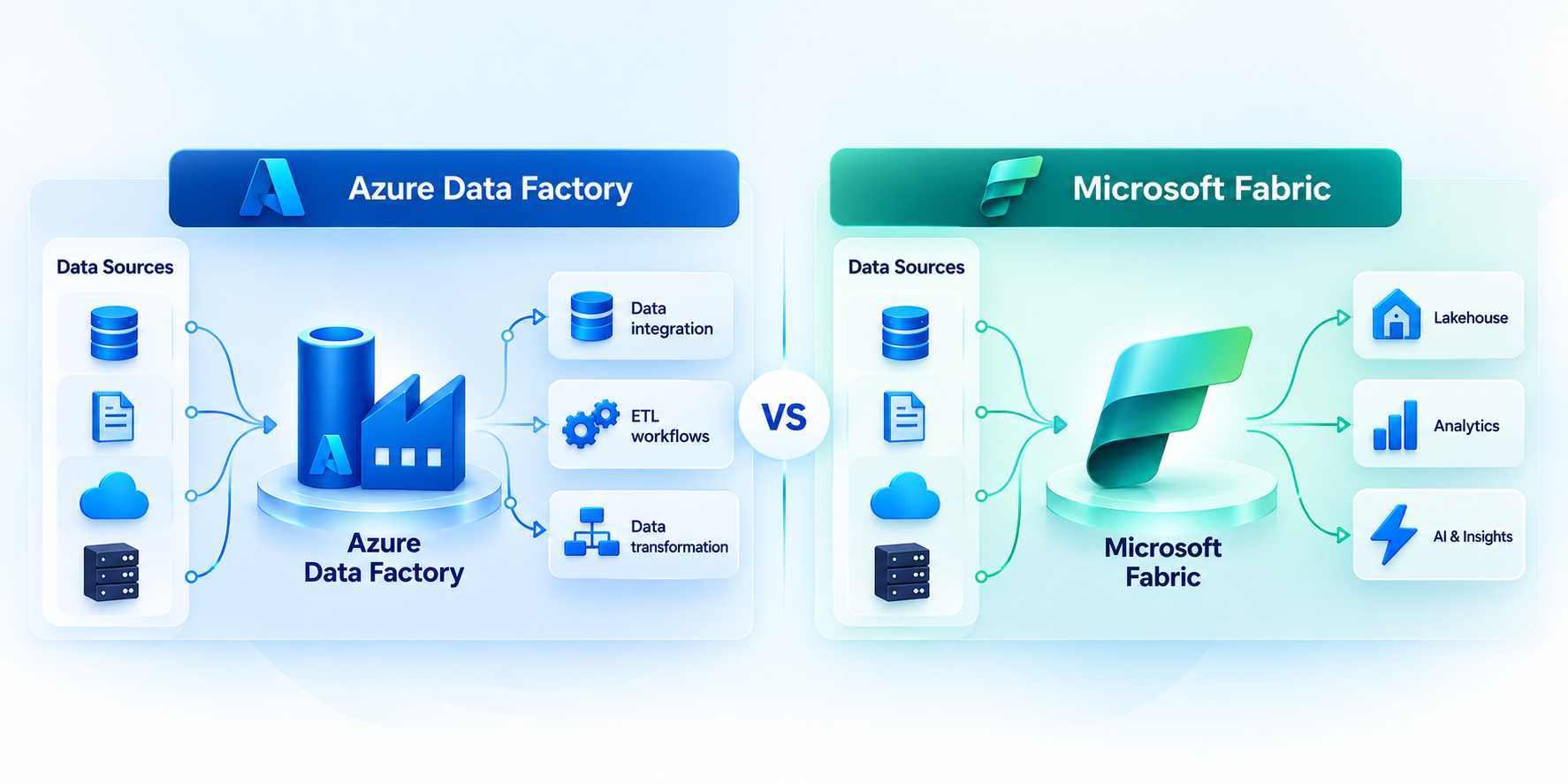
Microsoft Fabric and Azure Data Factory both support data integration and pipeline orchestration, but they serve different architectural models. Azure Data Factory is an Azure PaaS service focused primarily on connecting sources, moving data, and orchestrating workflows.
Microsoft Fabric Data Factory provides similar integration capabilities inside the Fabric SaaS platform, with native access to OneLake, Lakehouse, Warehouse, Power BI, and other Fabric workloads.
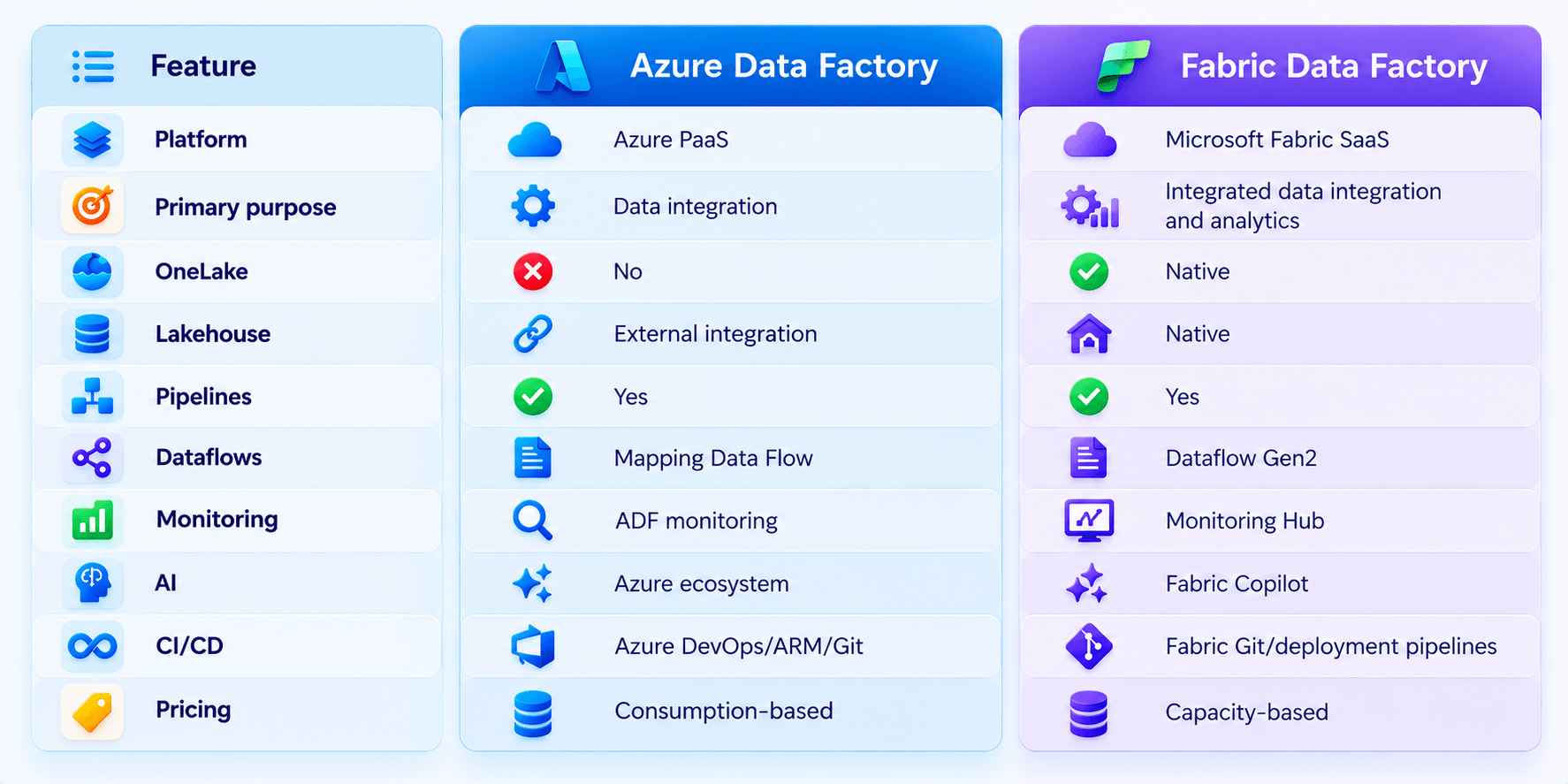
The table shows the main architectural difference: ADF operates as a dedicated Azure integration service, while Fabric Data Factory is embedded within a unified analytics platform.
Fabric pipelines connect directly with Fabric items, and OneLake provides the shared storage foundation. Fabric also replaces some ADF concepts, such as Integration Runtime management and traditional linked services, with more integrated platform experiences. However, ADF remains relevant where existing Azure architecture, networking, hybrid connectivity, or specific capabilities influence the design.
This distinction matters when planning a new platform or evaluating an Azure Data Factory migration to Fabric. Teams should compare workload requirements, connector availability, security and governance, network architecture, existing Azure investments, CI/CD practices, and cost model before choosing an approach.
Azure Data Factory is an Azure PaaS service focused on data integration and orchestration. It connects data sources, moves data, and coordinates transformation workflows.
Fabric Data Factory sits inside Microsoft Fabric SaaS. It connects directly with OneLake and other Fabric workloads, creating a more unified data and analytics architecture.
OneLake is the shared data foundation of Microsoft Fabric. Fabric Data Factory can move and prepare data within this environment instead of treating storage as a separate platform component.
This architecture can reduce unnecessary data movement and duplication.
Key benefits include:
This creates a connected architecture where ingestion, storage, transformation, and analytics operate within the same platform.
ADF primarily orchestrates integration across an Azure data architecture. Fabric Data Factory is designed to connect directly with multiple Fabric workloads.
A typical Fabric flow is:
Data Factory → OneLake → Lakehouse/Warehouse → Analytics
The surrounding ecosystem includes:
This shared environment reduces the need to stitch together separate services for every stage of the analytics lifecycle.
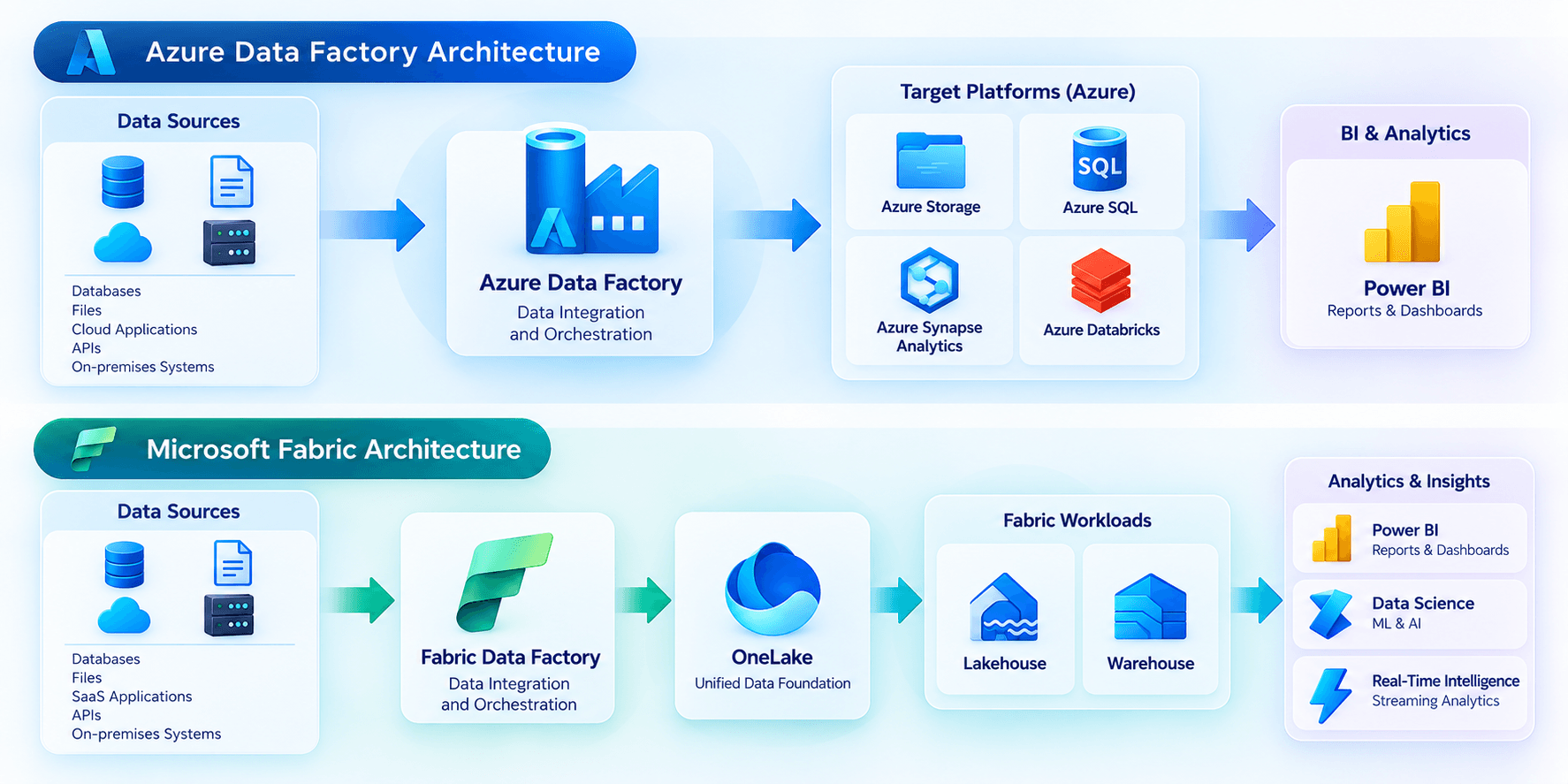
Both platforms provide visual interfaces for creating data pipelines. ADF uses ADF Studio, while Fabric Data Factory uses the Data Factory experience inside a Fabric workspace.
Both support:
The main difference is the surrounding environment.
ADF pipelines are authored within an Azure service. Fabric pipelines are created alongside other Fabric items in a workspace, making it easier to manage integration with Lakehouse, Warehouse, notebooks, and other workloads.
ADF commonly uses Azure DevOps, Git integration, ARM templates, and release processes for deployment.
Fabric provides workspace-based development with:
This changes how teams structure their CI/CD process.
For organizations already invested in Azure DevOps and ARM-based deployment, the transition requires planning. Fabric introduces a different deployment model rather than simply replicating the existing ADF process.
Both platforms support pipeline scheduling, dependencies, monitoring, and operational workflows.
ADF provides monitoring through its dedicated monitoring experience, including pipeline runs, activity runs, triggers, and Data Flow execution.
Fabric uses Monitoring Hub and workspace-level monitoring. This provides visibility across multiple Fabric workloads, including pipelines, Dataflows, notebooks, and databases.
For reusable workflows, teams can use:
During migration, existing activities generally have Fabric equivalents, but properties, expressions, limits, and trigger behavior should be validated.
ADF uses Mapping Data Flows for visual, low-code data transformation. These support ETL-style transformation workflows without requiring users to write all transformation logic manually.
Fabric Data Factory uses Dataflow Gen2, which provides a Power Query-based experience for preparing and transforming data.
Dataflow Gen2 can also work alongside Fabric Lakehouse and Warehouse scenarios.
Importantly, ADF Mapping Data Flows do not directly map one-to-one to Fabric Data Factory. Microsoft recommends evaluating whether Dataflow Gen2, Warehouse SQL, or Spark notebooks better fits each migrated workload.
The transformation difference matters most for organizations with large or complex ADF environments.
Pay particular attention if your workloads use:
Microsoft recommends validating data types, null handling, transformation logic, and rerun behavior during migration.
For simple transformations, the transition may be relatively straightforward. More complex workloads may require redesign using Dataflow Gen2, Warehouse SQL, or Spark notebooks.
Azure Data Factory uses Integration Runtime (IR) as its compute infrastructure for data movement and integration activities.
ADF supports different runtime configurations, including:
Self-hosted IR is particularly relevant when ADF needs to connect with on-premises or privately networked data sources. Managed virtual network configurations can also support private connectivity through private endpoints for supported data stores.
Fabric uses a different connectivity model.
Instead of reproducing ADF's Integration Runtime architecture, Fabric uses options such as:
This simplifies some infrastructure management while changing how organizations handle private and on-premises connectivity.
Runtime assessment is an important migration step.
Teams should review:
Microsoft notes that Self-hosted IRs need to be mapped to On-premises Data Gateway, while VNet-enabled scenarios may require a Virtual Network Data Gateway in Fabric.
Both platforms support a wide range of connectors for integrating different data environments.
Common categories include:
Fabric Data Factory provides connectors across Dataflow Gen2, pipelines, and Copy jobs.
Many common connectors have continuity between ADF and Fabric, but organizations should not assume that every ADF connector behaves identically in Fabric.
Before migration, check:
Microsoft specifically recommends reviewing connector continuity before migrating ADF workloads. Some long-tail connectors may require redesign or alternative approaches.
ADF provides dedicated monitoring for data integration operations.
Teams can monitor:
This provides focused operational visibility into ADF workloads.
Fabric introduces Monitoring Hub and broader workspace monitoring.
Teams can view activity across Fabric workloads, including:
This creates a more unified operational experience rather than limiting monitoring to the data integration service.
ADF monitoring is centred on the data integration service. Fabric monitoring extends visibility across the broader Fabric workspace and its workloads.
Microsoft Fabric adds Copilot capabilities to the Data Factory experience. Depending on the supported scenario, Copilot can assist with tasks such as:
This gives Fabric Data Factory an AI-assisted development layer alongside its visual authoring experience.
The distinction is architectural as well as functional. Copilot operates within the broader Fabric environment, where Data Factory connects with OneLake and other Fabric workloads.
For teams adopting Fabric, Copilot can reduce the learning curve for common development and troubleshooting tasks. However, generated recommendations should still be reviewed and tested before production use.
Azure Data Factory generally follows a consumption-based pricing model. Costs can depend on factors such as:
This model can make workload-level consumption important when estimating ADF costs. Organizations with variable workloads may therefore need to examine execution frequency and data movement closely.
Fabric uses a capacity-based model, where workloads consume Fabric capacity.
Cost planning therefore involves factors such as:
Fabric Data Factory does not operate as an isolated billing environment in the same way as ADF. Its economics need to be considered alongside the wider Fabric platform.
There is no universal lower-cost option.
The answer depends on the organization's architecture and usage patterns.
Consider:
Therefore, organizations should compare total platform cost, not just the individual pipeline execution cost. Microsoft also recommends assessing workload requirements and architecture before migrating ADF pipelines to Fabric.
The choice between Azure Data Factory and Fabric Data Factory depends on your existing architecture, data workloads, and long-term platform strategy. Neither option fits every organisation. Assess the technical requirements before deciding whether to retain ADF, adopt Fabric, or use both during a transition.
Azure Data Factory may fit organizations that already have significant ADF investment and established Azure data architectures.
Consider ADF when you have:
For these organizations, retaining ADF can avoid unnecessary migration work when current workloads already meet business requirements.
Fabric Data Factory may fit organizations building or expanding a unified analytics environment.
Consider Fabric when you have:
This approach can bring ingestion, storage, engineering, analytics, and reporting closer together.
Decision Factors : Assess your existing investments, workload compatibility, networking, connectors, governance, security, data volumes, migration effort, licensing model, analytics requirements, and long-term architecture before selecting an approach. A phased or hybrid strategy may also be appropriate for organizations transitioning from ADF to Fabric.
Yes. Microsoft provides a supported migration approach for moving Azure Data Factory workloads to Fabric Data Factory. The process is not simply a one-click platform replacement. Organizations should assess each pipeline, activity, connection, and dependency before migration.
Microsoft's migration guidance covers pipeline migration, activity compatibility, connector availability, dataflows, networking, security, and deployment processes. Existing ADF pipelines can be migrated using Microsoft's migration tooling where supported.
Many common ADF pipeline components have corresponding capabilities in Fabric Data Factory. This includes pipelines, activities, parameters, variables, expressions, connections, and triggers, depending on the specific workload.
Simple copy and orchestration pipelines can often follow a relatively direct migration path. However, organizations should validate every migrated pipeline before production deployment.
Dataflows require separate consideration, because ADF Mapping Data Flows and Fabric Dataflow Gen2 use different experiences and architectures.
Several areas require detailed technical assessment before an Azure Data Factory migration to Fabric.
A structured assessment helps determine which workloads can move directly and which need redesign.
Hexaview Technologies provides Microsoft Fabric consulting, migration, and implementation services for enterprises modernizing their data platforms. Its Fabric capabilities include readiness assessment, architecture, migration, OneLake, Lakehouse, analytics, AI, governance, and managed support.
A successful Fabric adoption starts with understanding the existing data environment and business requirements.
Hexaview's consulting approach can cover:
The goal is to create a Fabric architecture that fits existing workloads rather than introducing unnecessary platform changes.
Hexaview also positions its Fabric consulting capabilities around governed, AI-ready data environments and migration from platforms such as Azure Synapse, Databricks, and legacy warehouses.
An Azure Data Factory migration to Fabric requires more than copying pipelines.
Hexaview's migration process can address:
Hexaview describes a parallel validation approach for ADF and Synapse migrations, allowing teams to compare outputs before production cutover. This can help identify compatibility issues before business-critical workloads move.
The approach can also support phased migration instead of requiring every workload to move simultaneously.
Hexaview's Microsoft Fabric implementation services cover the broader platform, not only Data Factory.
Implementation can include:
The implementation process can be structured around the organization's existing data estate, target workloads, governance requirements, and analytics roadmap. Hexaview's published implementation guidance also highlights architecture design, data migration, integration, and governed OneLake environments.
If your organization is evaluating Microsoft Fabric implementation services or an ADF to Fabric migration, Hexaview can assess your current environment, identify migration dependencies, and define a practical implementation roadmap.
Microsoft Fabric vs Azure Data Factory mainly differs in platform scope. Azure Data Factory is an Azure PaaS service focused on data integration and orchestration. Fabric Data Factory is part of Microsoft Fabric's broader SaaS analytics platform. It integrates with OneLake, Lakehouse, Warehouse, Power BI, Data Engineering, and Real-Time Intelligence, providing a more connected environment for data integration and analytics.
Microsoft positions Fabric Data Factory as the next generation of Azure Data Factory, but this does not mean every ADF workload should immediately move to Fabric. ADF remains an established Azure service with capabilities and architectural options that may matter for existing environments. Organisations should consider networking, connectors, Integration Runtime requirements, workloads, governance, and existing investments before planning an ADF vs Fabric migration.
Fabric Data Factory and Azure Data Factory share important concepts, including pipelines, activities, connectors, parameters, triggers, and data movement. However, they are not identical services. ADF operates as an Azure integration service, while Fabric Data Factory operates inside Microsoft Fabric and integrates natively with OneLake and Fabric workloads. Some activities, connectivity options, transformation capabilities, and deployment processes also differ between the platforms.
Yes. Microsoft provides migration guidance and tooling for moving supported ADF pipelines to Fabric Data Factory. However, organizations should assess pipeline activities, connectors, expressions, triggers, dataflows, networking, security, and deployment processes first. Mapping Data Flows may require additional consideration because Fabric uses Dataflow Gen2. Self-hosted Integration Runtime scenarios and unsupported activities may also require redesign during migration.
The decision depends on your requirements rather than a universal platform preference. Assess your existing Azure investments, workloads, networking, governance, connectors, and operational dependencies. Organizations pursuing a unified OneLake, Lakehouse, Warehouse, Power BI, and analytics architecture may evaluate Fabric closely. Cost and capacity requirements should also be compared with current ADF consumption before committing to migration.






.svg)


.svg)