
OneLake shortcuts provide access to existing data without creating another physical copy. Data copy in Microsoft Fabric moves data into a destination for independent processing and storage. While OneLake shortcuts suit shared, distributed, and frequently updated datasets, copying works better when teams need transformations, independent storage, or greater control over data processing. Both Fabric shortcuts and data copying support different enterprise data requirements.
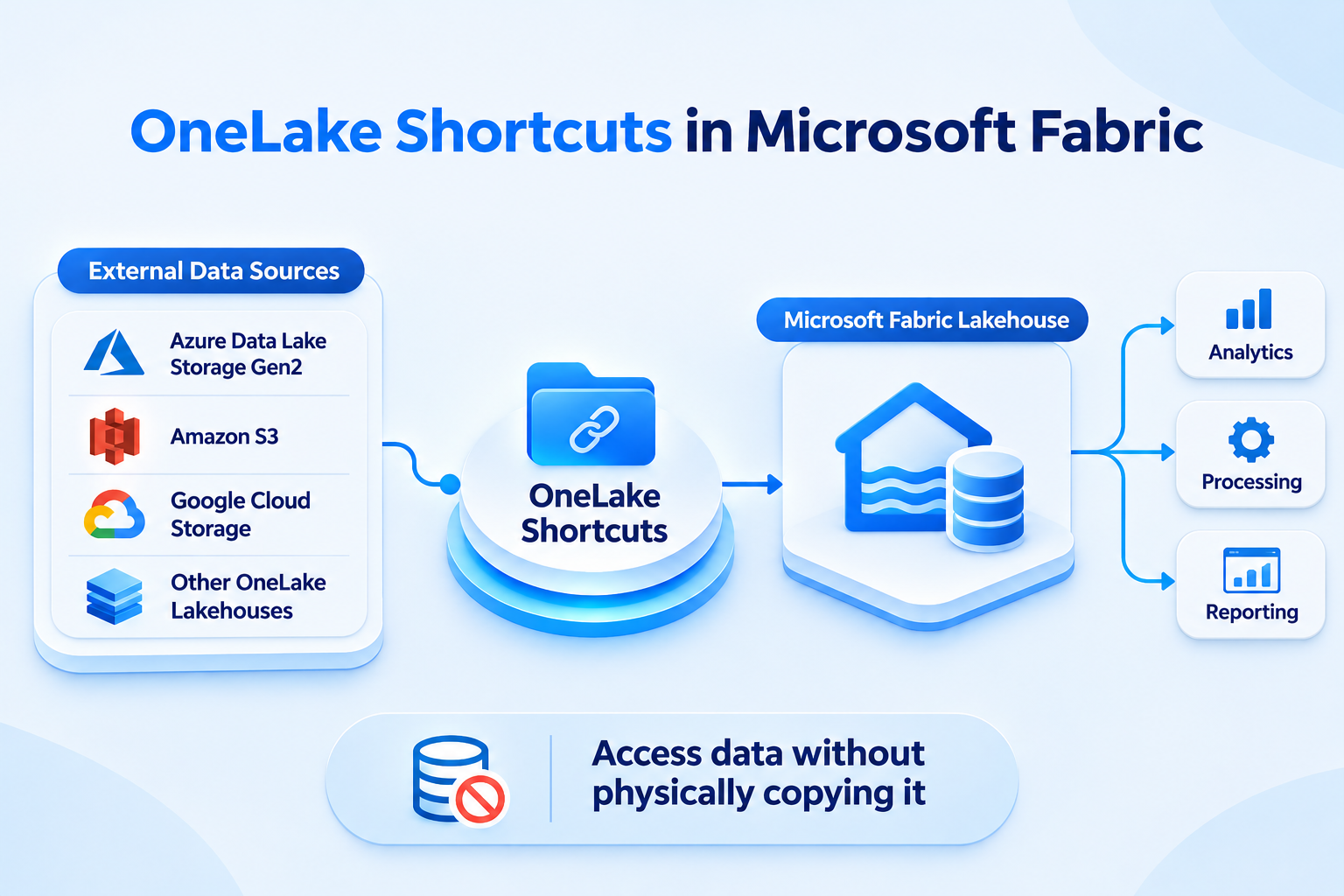
An OneLake shortcut is a reference that connects Microsoft Fabric to data stored elsewhere. It makes external or internal data appear within a Microsoft Fabric lakehouse without physically copying it. The original data remains in its existing storage location. Fabric workloads can access this referenced data for analytics and processing.
OneLake supports connections to several sources, including Azure Data Lake Storage Gen2, Amazon S3, Google Cloud Storage, and other OneLake lakehouses. These connections support distributed data access and reduce unnecessary duplication. This approach also supports data virtualization across different storage environments.
For example, a company stores sales data in Azure Data Lake Storage Gen2. Its analytics team creates an OneLake shortcut to access that dataset. Fabric workloads can then use the referenced data without copying everything into OneLake.
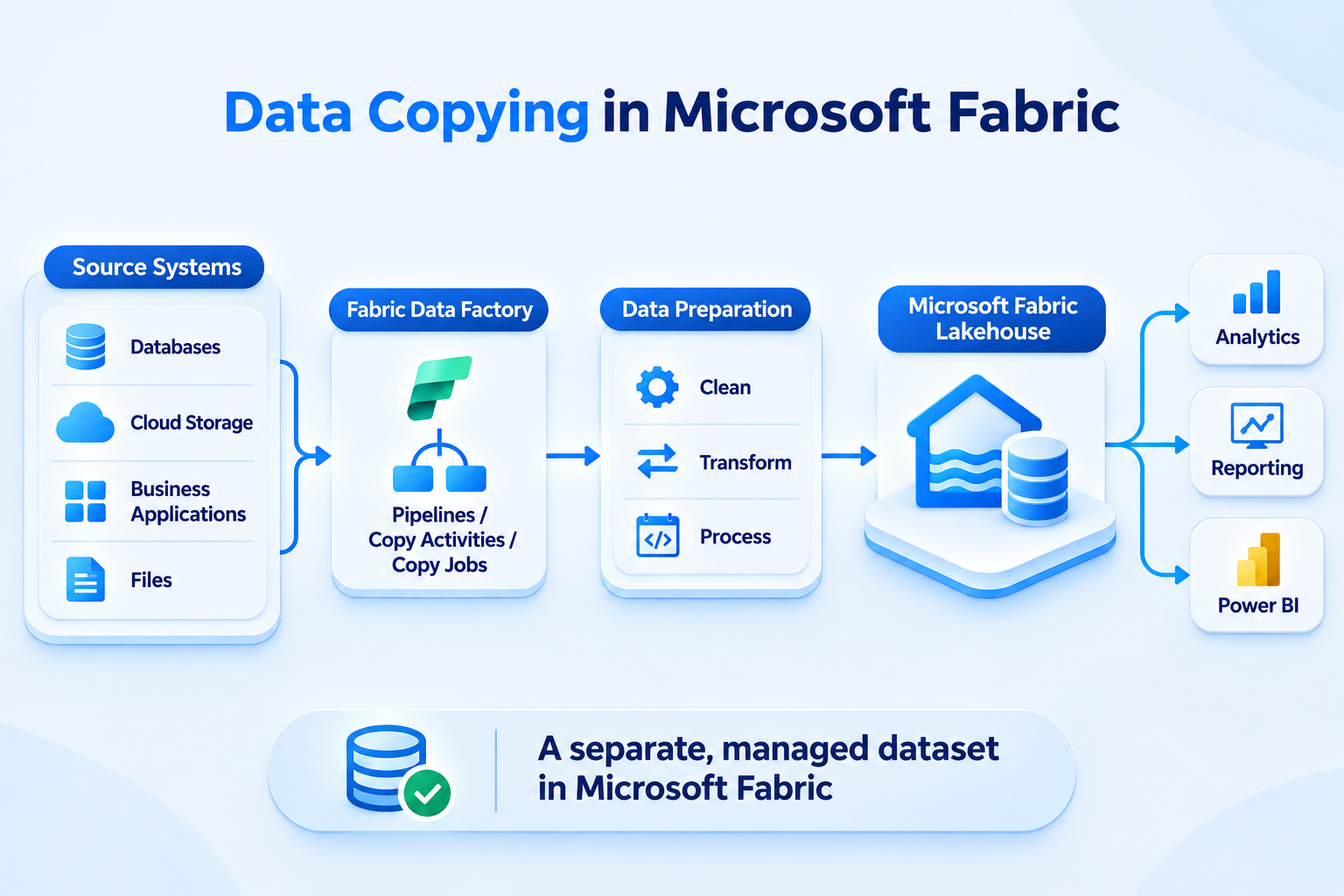
Microsoft Fabric data copying involves moving data from a source system into a destination, such as a Fabric lakehouse. Teams can use Fabric Data Factory pipelines, Copy activities, or Copy jobs to support data ingestion in Microsoft Fabric. Unlike shortcuts, copying creates a separate dataset within the destination environment.
Teams can schedule refreshes and manage ingestion through automated data pipelines. They can also use Dataflows Gen2, notebooks, and pipeline activities to clean and transform ingested data.
For example, a financial services company collects transaction data from multiple systems. It copies selected datasets into a Fabric lakehouse. Data engineers then clean, transform, and prepare the data for reporting.
OneLake shortcuts vs data copy involves different approaches to data access and management. Shortcuts reference existing data, while copying creates a separate destination dataset. The following table highlights their practical differences.

Both approaches serve different requirements within a Microsoft Fabric data architecture.
Fabric shortcuts help teams access shared datasets without maintaining redundant copies. However, they do not guarantee real-time performance. External caching and source connectivity can affect access behavior.
Data copying offers greater control over destination storage, transformations, and downstream processing. Teams can independently manage ingested datasets and their refresh schedules.
OneLake shortcuts work best when organizations need data access without relocating existing datasets. They help teams connect distributed storage while reducing unnecessary duplication.
Consider using Fabric shortcuts in these scenarios:
For example, sales, finance, and operations teams can access shared enterprise data through one shortcut. Each team can use the same source without maintaining separate physical copies.
However, successful access depends on source permissions, connectivity, caching, and access requirements. Organizations should evaluate these factors before implementing their OneLake data architecture.
Microsoft Fabric data copy is more suitable when organizations need greater control over storage, processing, and data management. Consider copying data in these scenarios:
For example, a financial organization needs historical transaction snapshots for quarterly reporting. It uses a Fabric Copy activity to ingest source data into a controlled lakehouse. This supports independent processing and historical analysis.
However, copying introduces storage costs and Microsoft Fabric data pipelines maintenance. Refresh schedules can also create data freshness gaps between source and destination datasets.
Choosing between shortcuts and copying requires evaluating more than data movement. Organizations should consider three important factors.
Shortcuts access data from its source location. External connectivity, source performance, and caching can influence query response times. Locally stored destination data can offer more predictable processing. However, performance still depends on capacity, file formats, and workload optimization.
Shortcuts avoid creating another full data copy. However, source storage, cross-cloud access, caching, and compute costs still matter. Copying requires additional destination storage and ingestion capacity. Organizations should evaluate these Microsoft Fabric storage costs before choosing an approach.
OneLake shortcut security depends on source permissions, cloud connections, and access configurations. Copied datasets require destination-level governance. Effective Microsoft Fabric governance and data access management help protect sensitive information across both approaches.
Choosing between shortcuts and copying requires understanding existing infrastructure, business needs, and data workflows. Hexaview Technologies helps enterprises plan and implement effective Microsoft Fabric architectures through its Microsoft Fabric consulting services.
Its support covers:
As a Microsoft Fabric consulting company, Hexaview helps organizations evaluate when to use shortcuts, data copying, or both. Its data engineering services support scalable OneLake architecture and enterprise analytics requirements.
Planning your Microsoft Fabric implementation? Connect with Hexaview Technologies to discuss a data architecture that supports your organization's analytics and integration requirements.
Use this decision guide to select the right approach:
Ultimately, choosing between shortcuts and data copy in Microsoft Fabric depends on your architecture, governance, performance, and business requirements.
Shortcuts reference existing data, while copying creates a separate destination dataset for independent storage, processing, and management.
No. An OneLake shortcut references existing source data without creating another physical copy within Microsoft Fabric.
Not always. Performance depends on source connectivity, query patterns, caching, workload requirements, and available computing capacity.
Yes. Organizations can combine Fabric shortcuts for shared access with copying for transformations and independent processing.
Yes. OneLake shortcuts support distributed enterprise data access when organizations implement appropriate security, governance, and source compatibility controls.